
Publisher disclosure: this comparison is written by WhatFlow. Competitor capabilities are based on the linked public documentation; the WhatFlow screenshots come from our demo store. Examples are illustrative, and results depend on your store and configuration.
WhatFlow and charles at a glance
| Consideration | WhatFlow | charles |
|---|---|---|
| Lifecycle emphasis | Shopify order and checkout event workflows | Advertised acquisition, campaigns and conversational lifecycle use cases |
| Source of this comparison | Observed Shopify demo configuration; test your required workflow before launch | Linked vendor product documentation; confirm plan and account availability |
| Cost check | Use current WhatFlow pricing and the Shopify installation terms for your expected usage | Request a current charles quote covering the required product, integration and message volume |
The first question is how people join
A WhatsApp program needs more than a message template. The store needs a clear way for customers to join, a reason to hear from the business and an owner for the replies. A brand building that program from the ground up has a different brief from a store fixing order notifications.
This is where a comparison between WhatFlow and charles becomes useful. Start with the intended customer relationship, then work backward to the software and process.
What charles puts forward
The charles website presents use cases including subscriber collection, click-to-message ads, abandoned carts, back-in-stock, campaigns, service and transactional updates. It addresses ecommerce as well as other industries. That breadth is relevant when the project covers several stages of the customer lifecycle.
Ask for a demonstration tied to your store, rather than treating the full use-case menu as a promise about your proposed implementation. Clarify onboarding work, ongoing support and what the internal team must maintain.
A focused WhatFlow evaluation
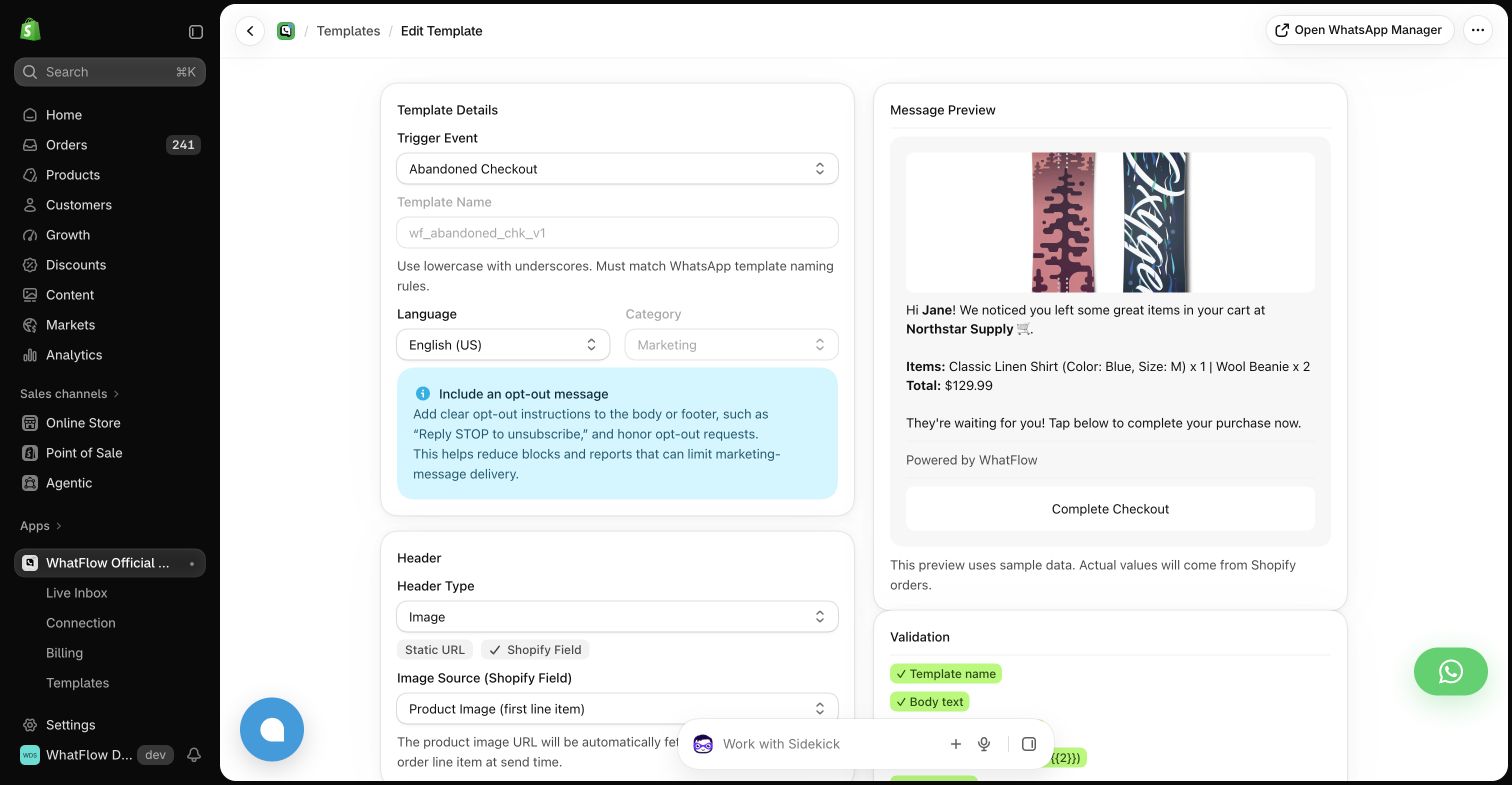
In the WhatFlow demo store, the starting point is a Shopify event and its configured message. Order confirmation, fulfillment and checkout reminders have identifiable settings. The template editor shows the data mapping and the message preview, which helps an operator reason about a specific customer update.
That is a useful scope for an initial operational project. It should still be tested with a reply and an exception, because customers do not experience outgoing notifications in isolation.
Subscriber quality comes before volume
For a lifecycle program, ask how a person joins and what they are told to expect. Then inspect what happens when they no longer want promotional messages. Treat these as concrete product and process checks, with your own appropriate compliance review where needed.
A large contact list is not automatically a useful audience. During a pilot, compare engagement and completed customer actions for a carefully selected group. Avoid importing an entire historical list simply to make the launch look large.
Plan the operational handoff
Imagine a campaign brings a customer back to the store, they buy, and then they ask a shipping question. Ask which team owns each step and where the order information is recorded. A strong acquisition experience can still produce a messy post-purchase process if ownership is unclear.
For charles, evaluate the broader lifecycle you expect to operate. For WhatFlow, evaluate whether the Shopify message workflows cover the immediate operational gap. In either case, agree on the first journey and its success measure before adding more channels or campaigns.
Choose a manageable starting point
A store benefits more from one well-run customer journey than from an ambitious program nobody has time to maintain. Select the tool that matches the team, the timeline and the next piece of work you can actually complete.
Questions worth asking
Is charles limited to order notifications?
No. Its website presents a broader range of WhatsApp acquisition, campaign, service and lifecycle use cases.
What should I test before a WhatsApp campaign?
The signup experience, audience selection, sample message, destination link, preference handling and the team’s response process.
Sources and methodology
We checked these primary sources on October 24, 2026. Vendor pages describe advertised capabilities, rather than independent performance tests. Confirm current pricing, plan limits and availability with each provider.
- charles product and use-case overview
Primary source for the advertised charles capabilities discussed above.
- WhatFlow Shopify App Store listing
Official app identity and current installation terms. WhatFlow workflow descriptions also reflect the demo-store configuration pictured in this guide.