
Publisher disclosure: this comparison is written by WhatFlow. Competitor capabilities are based on the linked public documentation; the WhatFlow screenshots come from our demo store. Examples are illustrative, and results depend on your store and configuration.
WhatFlow and DelightChat at a glance
| Consideration | WhatFlow | DelightChat |
|---|---|---|
| Primary evaluation | Shopify event messaging and template maintenance | Support inbox plus documented WhatsApp marketing automations |
| Source of this comparison | Observed Shopify demo configuration; test your required workflow before launch | Linked vendor product documentation; confirm plan and account availability |
| Cost check | Use current WhatFlow pricing and the Shopify installation terms for your expected usage | Request a current DelightChat quote covering the required product, integration and message volume |
A message creates a support commitment
Sending an order update is straightforward. Being ready when the customer replies is the harder part. A shipping message may produce a question about a missing parcel. A checkout reminder may start a conversation about sizing. Decide who owns those replies before selecting the software.
This makes WhatFlow versus DelightChat an operational comparison as much as a feature comparison. The useful question is how your store connects outgoing messages to the people handling customer requests.
What DelightChat documents
DelightChat's help center describes a multi-agent support inbox alongside WhatsApp broadcasts and ecommerce automations such as cart recovery, order tracking and COD confirmation. Its documentation also covers Shopify-connected workflows. You should therefore evaluate it as more than a generic helpdesk.
Ask which onboarding path applies to a new account and which plan enables the functionality you need. Account setup details are worth checking directly rather than copying advice from an older comparison.
What to look at in WhatFlow
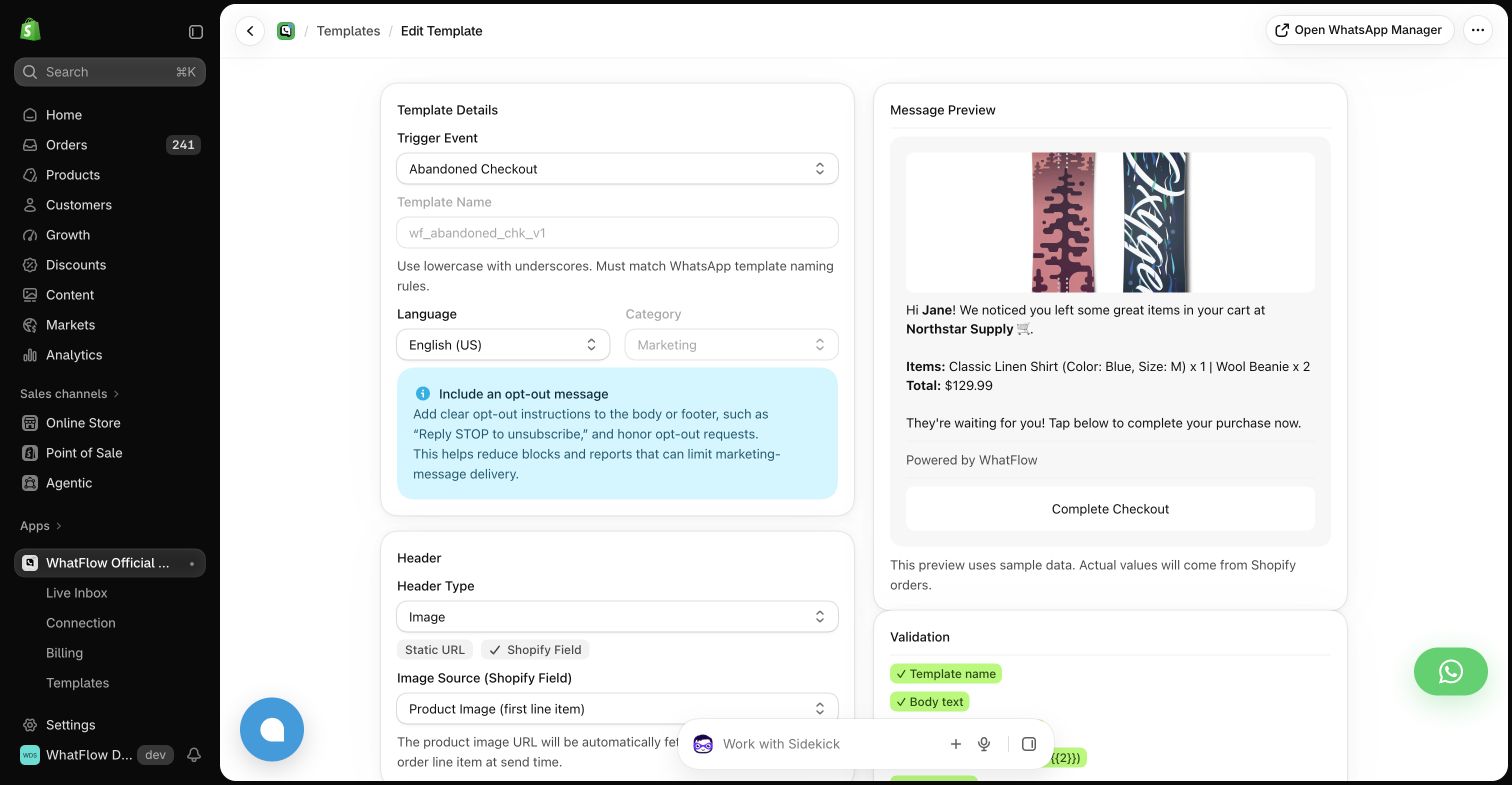
Our demo store shows notification settings around recognizable Shopify events. Templates have mapped fields and a preview. This is a useful starting point when the store operator owns customer updates and needs to inspect the message without translating between several systems.
The trial should continue beyond the send. Have a controlled test recipient reply with an order question. Confirm where that reply arrives, who is expected to handle it and whether the required order context is accessible in your chosen workflow.
Compare a support case from start to finish
Use a hypothetical customer who receives a fulfillment notification but says the address is wrong. Watch how an operator identifies the order, checks its status and hands off any change that requires permission. Ask whether the customer receives another automated message during that investigation.
Judge the human process as carefully as the software. A good interface cannot compensate for two teams each assuming the other one will answer. Write down the escalation owner and expected handling process before launch.
Budget for the work, not just the message
Build a monthly estimate using expected campaign volume, notification volume and operator needs. Ask what counts toward the software bill and what is charged separately. Then include the time spent reviewing exceptions and updating templates.
If your existing support process is fragmented, DelightChat's shared support proposition may address a larger problem than notifications alone. If support is already organized and the missing piece is Shopify event automation, a focused WhatFlow trial may be the more useful next step.
Choose around the handoff
The test that matters is a customer who does not follow the happy path. Make sure the store can handle that person without searching several inboxes or losing the order context. Choose the product and process that make ownership obvious.
Questions worth asking
Does DelightChat offer cart recovery?
Its WhatsApp integration documentation lists abandoned cart recovery and other ecommerce automations alongside support features.
Should outgoing messages and replies have the same owner?
They need a clearly agreed handoff. The same person does not have to do both jobs, but the customer should not disappear between marketing and support.
Sources and methodology
We checked these primary sources on October 24, 2026. Vendor pages describe advertised capabilities, rather than independent performance tests. Confirm current pricing, plan limits and availability with each provider.
- DelightChat WhatsApp integration guide
Primary source for the advertised DelightChat capabilities discussed above.
- WhatFlow Shopify App Store listing
Official app identity and current installation terms. WhatFlow workflow descriptions also reflect the demo-store configuration pictured in this guide.