
Publisher disclosure: this comparison is written by WhatFlow. Competitor capabilities are based on the linked public documentation; the WhatFlow screenshots come from our demo store. Examples are illustrative, and results depend on your store and configuration.
WhatFlow and respond.io at a glance
| Consideration | WhatFlow | respond.io |
|---|---|---|
| Team workflow | Shopify events, order context and mapped templates | Advertised cross-channel inbox, AI agents and lead management |
| Source of this comparison | Observed Shopify demo configuration; test your required workflow before launch | Linked vendor product documentation; confirm plan and account availability |
| Cost check | Use current WhatFlow pricing and the Shopify installation terms for your expected usage | Request a current respond.io quote covering the required product, integration and message volume |
A conversation and an order are different starting points
A high-consideration business may spend days qualifying a lead before a sale exists. A Shopify operator may simply need to tell a buyer that an order shipped. Both can use WhatsApp, but they need different workflow structures.
This is the central question in WhatFlow versus respond.io. Decide whether your first project begins with a person in a sales conversation or an event already recorded in Shopify.
Where respond.io focuses
Respond.io describes a platform that brings customer touchpoints, CRMs and AI agents into a team inbox. Its site presents lead capture, qualification, routing, bookings and ongoing conversations across channels. That makes it relevant when sales and support staff need to manage a continuing customer relationship.
Confirm the specific channels, integrations and account allowances in the proposed plan. A broad conversation platform can support many designs, but your store still needs a defined implementation.
Where WhatFlow starts
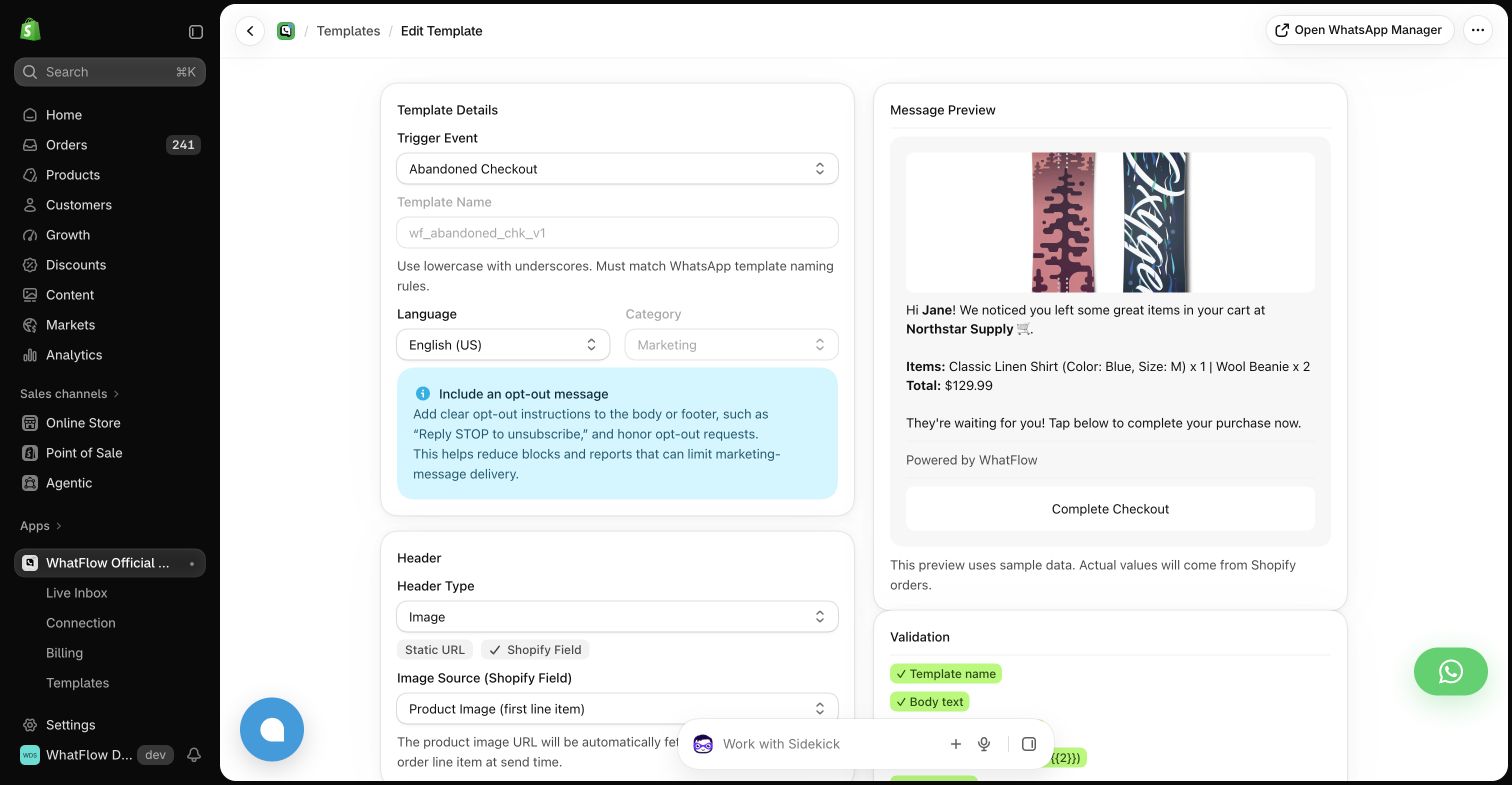
The WhatFlow demo app organizes automations around Shopify events. The template editor maps fields such as customer name, order total and checkout link into an outgoing message. This gives a store operator a concrete place to maintain an order update or a recovery reminder.
That approach should be judged on its event coverage and clarity, rather than on whether it resembles a full sales CRM. Equally, a conversation platform should be judged on the lead workflow your team actually needs.
Use a customer who changes channels
For a respond.io evaluation, choose a hypothetical lead who begins on a social channel, asks a WhatsApp question and later places a Shopify order. Ask the vendor to show how the proposed setup connects those records and how a colleague takes over without losing the context.
For WhatFlow, test the order event and customer message with the same care. Check which field supplies the recipient and which order details the operator can inspect. Do not assume a matching name is sufficient to identify the right customer.
Evaluate the handoff, not just the AI reply
If AI qualification or routing is part of the brief, ask the system to hand off a question that needs a person. Look at what the colleague receives: the original question, relevant history and an understandable reason for escalation.
For an event-message workflow, make the exception a failed delivery or an unexpected order state. Can the store operator identify the problem and decide the next action? That is the operational equivalent of a good conversational handoff.
Decide around the team
Choose respond.io for evaluation when the team needs a shared conversation operation spanning leads and channels. Choose WhatFlow for a focused trial when the missing work is Shopify-triggered WhatsApp updates. If you need both kinds of work, map the architecture and number-connection requirements before buying overlapping tools.
Questions worth asking
Is respond.io only for Shopify?
Its product overview describes a broader conversation platform serving multiple channels and business workflows.
What is the best test for a conversation platform?
Use a realistic lead who changes channel or needs a human handoff, then inspect the context and ownership received by the next person.
Sources and methodology
We checked these primary sources on October 24, 2026. Vendor pages describe advertised capabilities, rather than independent performance tests. Confirm current pricing, plan limits and availability with each provider.
- respond.io product overview
Primary source for the advertised respond.io capabilities discussed above.
- WhatFlow Shopify App Store listing
Official app identity and current installation terms. WhatFlow workflow descriptions also reflect the demo-store configuration pictured in this guide.