
Publisher disclosure: this comparison is written by WhatFlow. Competitor capabilities are based on the linked public documentation; the WhatFlow screenshots come from our demo store. Examples are illustrative, and results depend on your store and configuration.
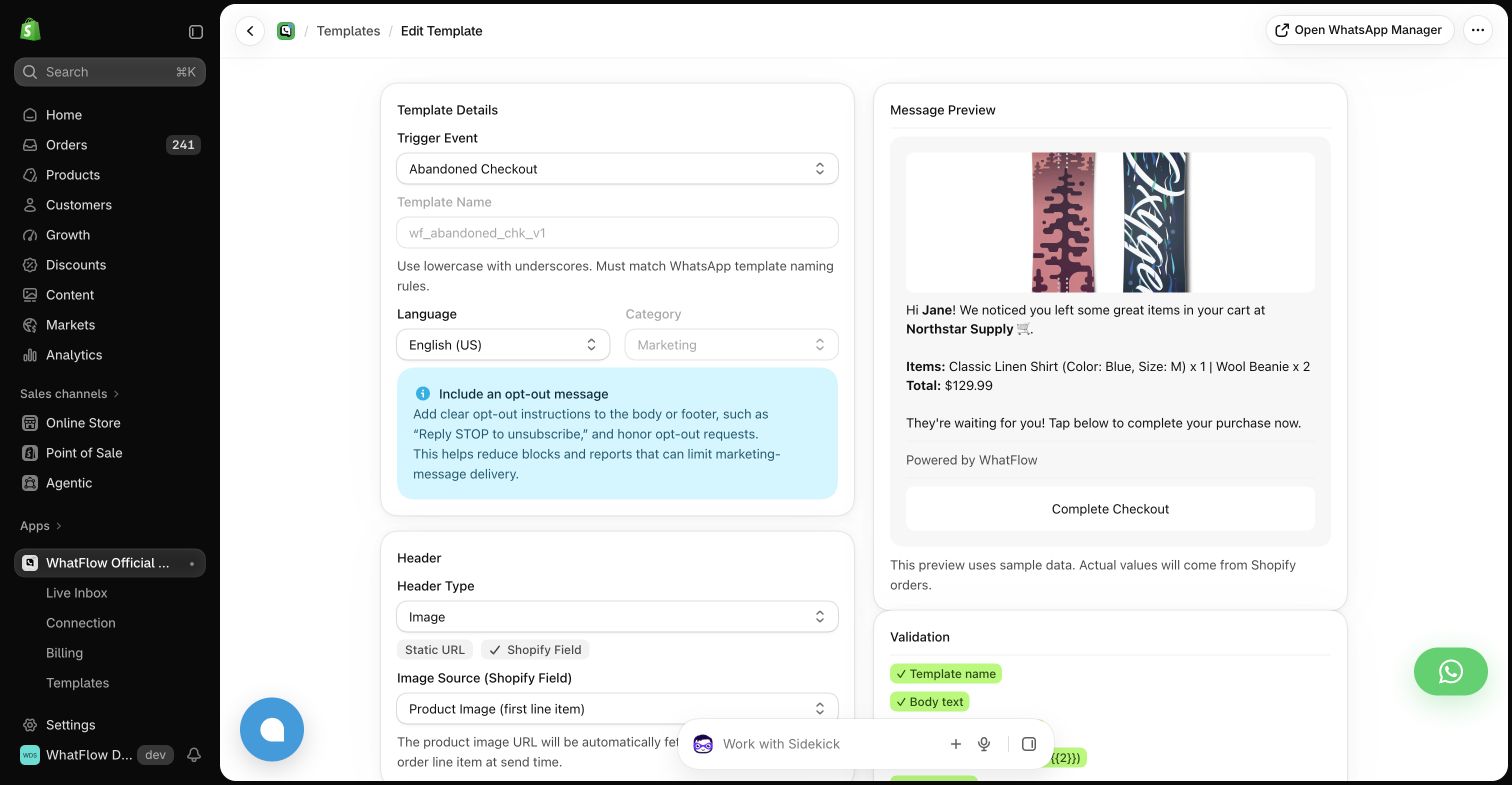
WhatFlow and WhatsApp Business app at a glance
| Consideration | WhatFlow | WhatsApp Business app |
|---|---|---|
| Starting point | Shopify-connected event templates in an application | WhatsApp’s business messaging app for customer conversations |
| Source of this comparison | Observed Shopify demo configuration; test your required workflow before launch | Linked vendor product documentation; confirm plan and account availability |
| Cost check | Use current WhatFlow pricing and the Shopify installation terms for your expected usage | Request a current WhatsApp Business app quote covering the required product, integration and message volume |
Manual work can be the right starting point
When a store receives a handful of questions, a person answering them directly can provide a good customer experience. There is no need to buy a complicated system simply because automation is available. The question changes when the team starts repeating the same order tasks throughout the day.
A useful WhatFlow comparison begins with that workload. Which messages are genuinely personal conversations, and which are predictable updates based on Shopify events?
Keep the app and the platform distinct
WhatsApp presents the Business app and the Business Platform as separate product offerings. The Business app is a customer-conversation product for businesses; a Shopify automation application uses a different workflow and connection model. Ask the provider to explain the account setup that applies to your number.
Avoid assuming that every feature, number arrangement or migration path works the same way across products. Confirm the supported setup for your account before changing an existing connection.
What WhatFlow adds to evaluate
In the WhatFlow demo Shopify app, event automations and template mappings give the store a defined process for order confirmations, fulfillment messages and checkout reminders. The operator can inspect the fields and preview instead of manually composing each update.
The benefit to test is whether the process reduces repetitive work while preserving useful customer communication. A message sent automatically still needs accurate data, sensible timing and someone ready to answer.
Count the repeated tasks
For a few ordinary days, record how often the team copies an order number, pastes a tracking link or asks a buyer to confirm a COD order. Also record how often the answer requires judgment. This gives you a more practical automation brief than a target based only on message volume.
Start with a task that has a clear source event and a clear expected result. Leave nuanced questions with a person until you have a well-defined process for them. Automation is most useful when the team understands what should happen.
Try one workflow before moving everything
Use a test store and controlled recipients to configure a single message. Check the name, order details, image and link. Then have a recipient reply with a question and verify the handoff. Do not treat a template preview as proof that the complete customer experience is ready.
Before any number migration, confirm the current provider instructions and the records you need to preserve. Do not delete an existing account or connection merely because a general guide suggests that step; your supported path may differ.
The point at which I would evaluate an app
Evaluate WhatFlow when repeatable Shopify events create enough manual work that the store needs a maintained automation process. Keep the Business app on the shortlist when direct conversations still fit the workload. Choose based on the customer's experience and the team's actual tasks, not an arbitrary order-count threshold.
Questions worth asking
Is the WhatsApp Business app the same as the Business Platform?
WhatsApp presents them as separate product offerings. Confirm the connection model and supported account setup required by the application you choose.
When should a Shopify store consider event automation?
When the team repeatedly sends predictable updates based on order or checkout events and needs a reliable way to configure, maintain and investigate that process.
Sources and methodology
We checked these primary sources on October 24, 2026. Vendor pages describe advertised capabilities, rather than independent performance tests. Confirm current pricing, plan limits and availability with each provider.
- WhatsApp Business app overview
Primary source for the advertised WhatsApp Business app capabilities discussed above.
- WhatFlow Shopify App Store listing
Official app identity and current installation terms. WhatFlow workflow descriptions also reflect the demo-store configuration pictured in this guide.