
Publisher disclosure: this comparison is written by WhatFlow. Competitor capabilities are based on the linked public documentation; the WhatFlow screenshots come from our demo store. Examples are illustrative, and results depend on your store and configuration.
WhatFlow and Large fixed software commitment at a glance
| Consideration | WhatFlow | Large fixed software commitment |
|---|---|---|
| Best-fit experience | WhatFlow’s volume-based plans preserve the same feature access, making the plan decision about messaging economics rather than changing the team’s available tools. | Longer contracts can bring support, implementation or pricing benefits for predictable larger organizations. A smaller merchant should compare those benefits with flexibility and the volume it can realistically sustain. |
| Costs to include | Selected message plan plus applicable Meta delivery fees; no inbox seat fees | Model a quiet month, a normal month and a peak month using the actual allowances and overage rates. Do not assume the cheapest base subscription is the cheapest option at peak volume. |
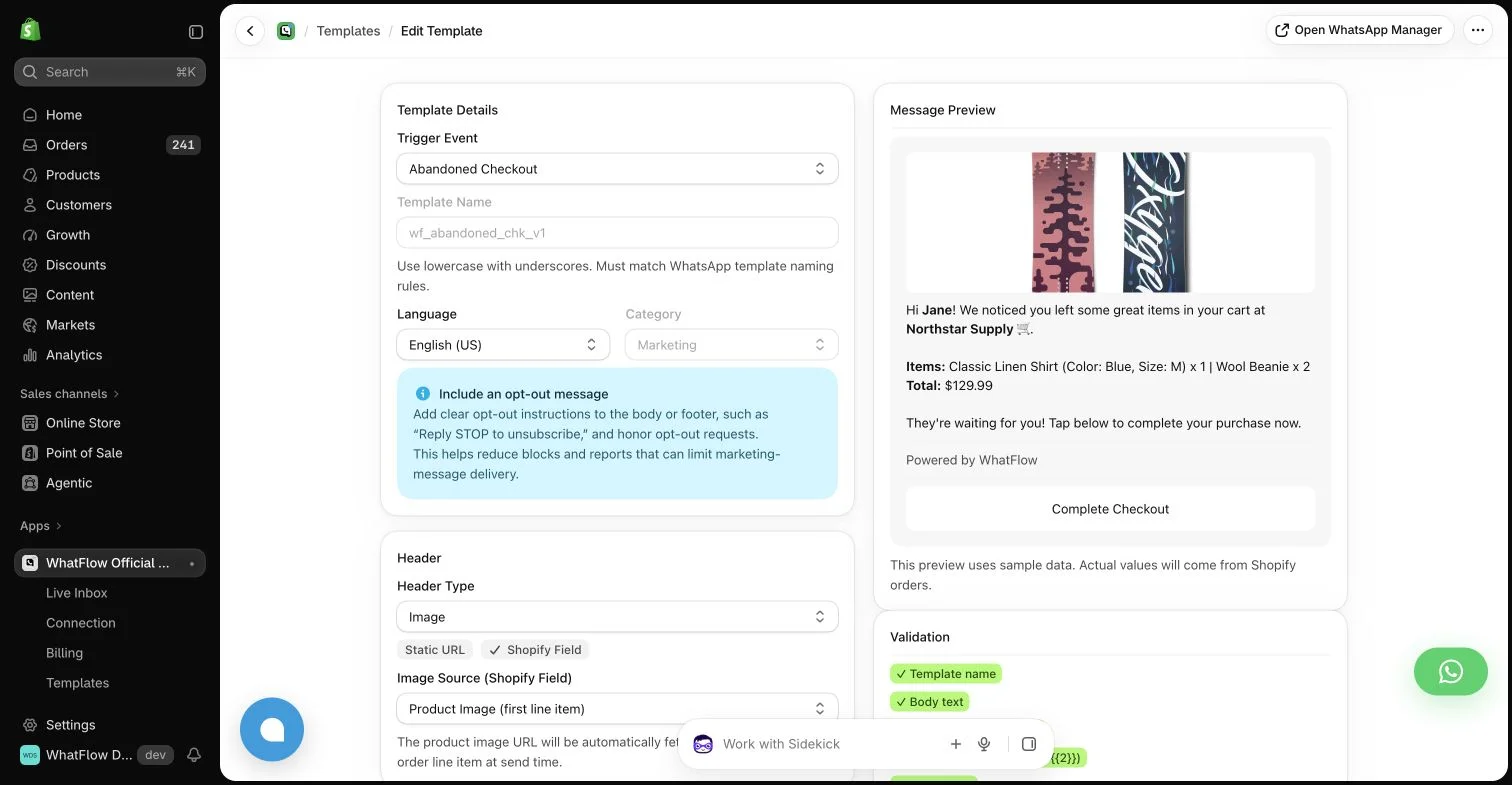
| Shopify workflow | Store events, template mapping, extensions and an included team inbox | Test the full customer scenario above, including the final order action and handoff. |
| Starting point | Free plan and free-forever theme-matched WhatsApp buttons. All features available; sending allowances differ. | Evaluate the existing tool or process on its own terms; a free entry point may cover only part of the workflow. |
Key takeaways
- Keep the same feature access through quiet and busy trading periods.
- Add seasonal inbox help without per-person WhatFlow fees.
- Compare the full commitment and permitted plan changes, not only a peak-month headline.
Start with the customer’s job
A store may have quiet months followed by a launch, holiday or sale. A large fixed software commitment can be hard to justify when the operational need is stable but message volume changes sharply.
Where each approach helps
Longer contracts can bring support, implementation or pricing benefits for predictable larger organizations. A smaller merchant should compare those benefits with flexibility and the volume it can realistically sustain.
The practical cost difference
Model a quiet month, a normal month and a peak month using the actual allowances and overage rates. Do not assume the cheapest base subscription is the cheapest option at peak volume.
Compare usage and contact billing when recipients fluctuate across the season.
Why I would use WhatFlow for this workflow
A seasonal campaign can leave delivery questions after the last promotion has ended. Keep the WhatsApp reply process and its owner available through that tail of work. WhatFlow’s consistent feature access supports a stable operating process even when sends vary. Use the existing seasonal calendar to choose the commercial setup, including applicable Meta fees, rather than assuming a peak justifies a permanent enterprise package or that every plan can be changed without conditions.
Compare the seasonal total before choosing a commitment
Hypothetical example: a gift store expects one launch month, two busy gifting months and several quieter periods. Place each period’s recipients and follow-ups in a calendar, then apply the proposed plan and usage charges. For a fixed contract, record the full committed amount even when the month’s usage is low. For a changeable plan, use only changes the provider’s terms actually permit.
Add implementation and seasonal staffing access separately. A promotion can generate support questions after its final send, so the operating requirement does not disappear on the campaign end date. Choose the arrangement whose annual cost and maintained coverage fit the calendar, rather than extrapolating the peak month into a permanent requirement.
Estimate sends per order and campaign recipients for each period. Include extra customer questions during peaks and ensure the people helping can access the inbox without unexpected seat costs.
Include seasonal team access when calculating the busiest period.
WhatFlow’s allowance and team costs
For a concrete baseline, consider 5,000 sent messages in a month. Among the listed WhatFlow plans, Plus produces an app-side cost of $9.99 at that volume. This calculation uses its $9.99 base, 5,000 included sends and $0.004 rate above the allowance. It assumes a single monthly allowance and does not include tax or Meta delivery charges. It is a planning example, not a combined quote for every possible message category or destination.
Keep three lines in the budget: the application, applicable WhatsApp delivery fees, and any separate implementation or services. Meta pricing varies by destination and category, and some service or qualifying utility messages have different treatment. An app allowance does not override Meta’s rules. The current installation terms and rate pages should be checked before committing a campaign budget.
Use Meta’s pricing page for the destination and category assumptions in the seasonal budget.
The features you keep as the store grows
The storefront WhatsApp buttons remain free forever and can fit the Shopify theme and design. The button is an entry point, not a promise of unlimited free automated sends. Automated messaging still follows the selected allowance and applicable delivery rules. Keeping those two costs separate makes the free offering easier to understand.
Before you choose a platform
- Build a quiet, ordinary and peak usage calendar.
- Read the actual commitment and plan-change rules.
- Retain reply ownership after the final seasonal campaign.
About the author
Safwan Adnan is co-founder and CEO of WhatFlow. This comparison explains our product’s fit and the alternative’s tradeoffs. About WhatFlow · Contact the team with a question or correction.
Questions worth asking
When is WhatsApp with WhatFlow useful compared with large fixed software commitment?
WhatFlow’s volume-based plans preserve the same feature access, making the plan decision about messaging economics rather than changing the team’s available tools.
What should the pilot measure?
Estimate sends per order and campaign recipients for each period. Include extra customer questions during peaks and ensure the people helping can access the inbox without unexpected seat costs.
Does the free WhatFlow plan restrict features?
No. WhatFlow offers all features across all plans, including Free. Plans differ by messaging allowances and rates. The team inbox has no seat fees, and theme-matched WhatsApp buttons are free forever.
Are WhatsApp delivery charges included in every example?
No. The worked examples show WhatFlow app-side costs. Add applicable Meta delivery charges for your destination and message category, along with tax or any separately purchased services.
Sources and methodology
We checked these primary sources on October 25, 2026. Vendor pages describe advertised capabilities, rather than independent performance tests. Confirm current pricing, plan limits and availability with each provider.
- WhatFlow plans and Shopify integrations
Published subscription prices, included sends, usage tiers and advertised Shopify workflows. No-seat-fee and all-features policies are confirmed by WhatFlow.
- WhatsApp Business Platform pricing
Delivery pricing depends on the destination and message category; eligibility rules and current rates must be checked separately from app costs.