
Publisher disclosure: this comparison is written by WhatFlow. Competitor capabilities are based on the linked public documentation; the WhatFlow screenshots come from our demo store. Examples are illustrative, and results depend on your store and configuration.
WhatsApp with WhatFlow and Email at a glance
| Consideration | WhatsApp with WhatFlow | |
|---|---|---|
| Best-fit experience | WhatFlow can add WhatsApp alongside a working email program. A store does not need to move its newsletter platform to benefit from Shopify-triggered conversations and an inbox without seat fees. | Email remains excellent for detailed content, invoices, newsletters and information customers may want to search or forward later. It can also be very economical at scale. WhatsApp’s advantage is the interaction around a timely event, not a claim that email is obsolete or always ignored. |
| Costs to include | Selected message plan plus applicable Meta delivery fees; no inbox seat fees | Email platforms commonly price by contacts and sending allowances. WhatsApp involves app costs and applicable message delivery fees. Compare incremental margin and useful responses rather than treating an email open as equivalent to a WhatsApp order confirmation. |
| Shopify workflow | Connect Shopify event messages with shared WhatsApp replies so order clarification is part of the application rather than another disconnected notification. | Email records and WhatsApp conversations can complement each other. Review the alternative’s actual configured route against the acceptance exercise below. |
| Starting point | Free plan and free-forever theme-matched WhatsApp buttons. All features available; sending allowances differ. | Keep the detailed receipt accessible. Keep existing tools that still serve the intended customer task. |
Key takeaways
- Use WhatFlow for Shopify updates that customers need to answer.
- Bring the order conversation and the human team together without seat fees.
- Keep email for the detailed records and content it handles well.
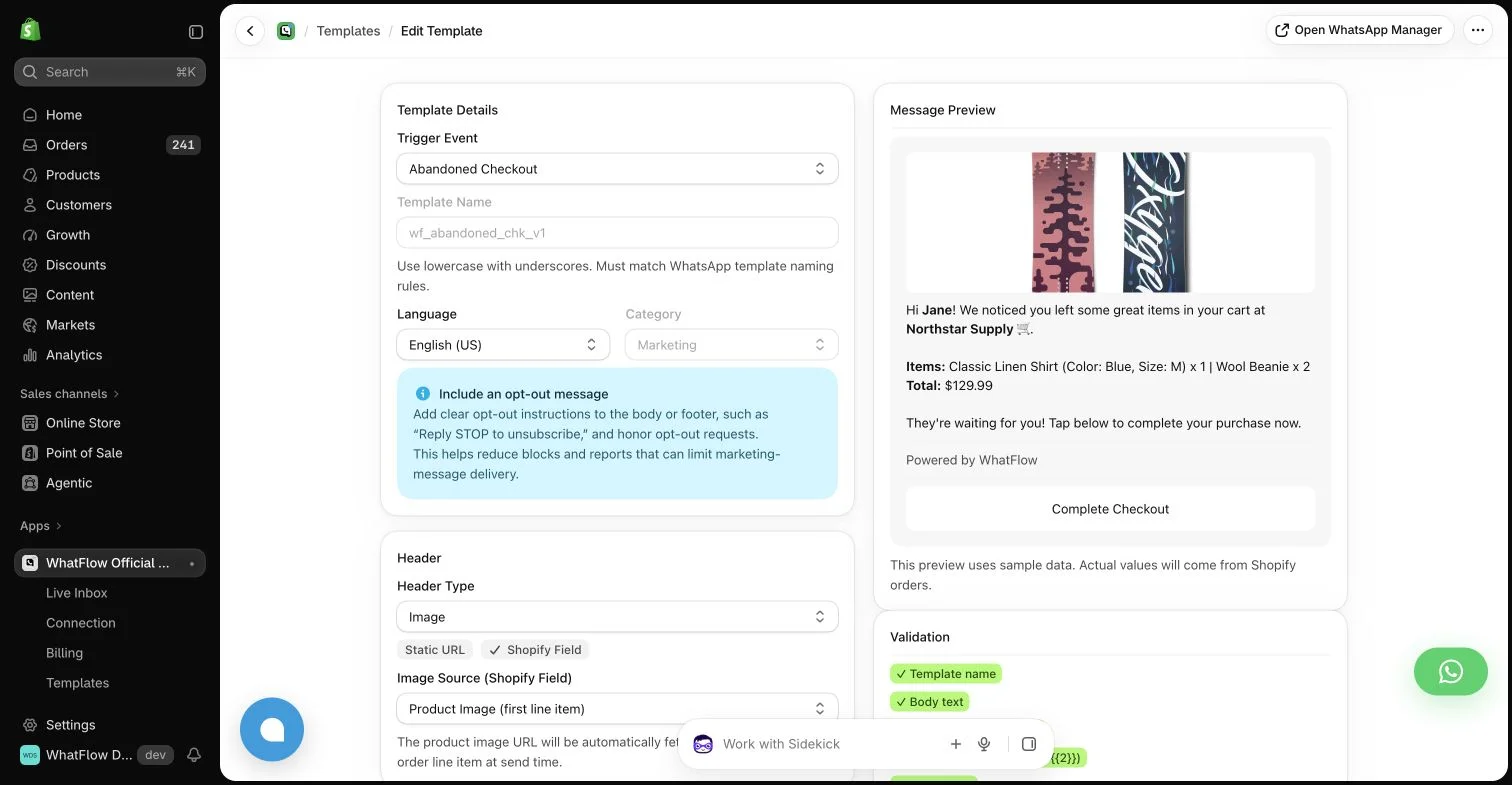
Start with the customer’s job
A customer waiting for an order may want a quick answer rather than another long email. WhatsApp gives that moment a direct conversational home. The message can carry the relevant update and let the customer ask a follow-up while the store’s team sees the conversation in one place.
Where each approach helps
Email remains excellent for detailed content, invoices, newsletters and information customers may want to search or forward later. It can also be very economical at scale. WhatsApp’s advantage is the interaction around a timely event, not a claim that email is obsolete or always ignored.
For a narrower operational rollout, compare WhatsApp vs email for Shopify order updates.
The practical cost difference
Email platforms commonly price by contacts and sending allowances. WhatsApp involves app costs and applicable message delivery fees. Compare incremental margin and useful responses rather than treating an email open as equivalent to a WhatsApp order confirmation.
When the task is targeted promotion, review Segmented WhatsApp broadcasts vs generic email blasts.
For the email-side maintenance context, see Google’s 2023 Gmail sender announcement. This October 3, 2023 announcement is historical context, not the complete current sender policy.
Why I would use WhatFlow for this workflow
Give the customer a clear WhatsApp route for the question following an order update, then make sure the team using WhatFlow can answer it. Keep the full receipt accessible. Choose additional messages for the uncertainty they resolve, not a promise that changing channels alone improves every customer outcome.
Keep one detailed record and one useful conversation
For a hypothetical first rollout, choose a customer question that often follows a detailed receipt, such as interpreting a partial fulfillment. Keep the receipt available through the existing email program and offer an eligible WhatsApp route for clarification. Ask another colleague to answer using the order state rather than merely forwarding the original message. WhatFlow can provide that Shopify-oriented inbox without replacing a functioning newsletter system. Record whether the extra contact resolves uncertainty or simply duplicates information the buyer already has. Compare permissioned reach, useful responses and total handling effort before assigning more jobs to the channel. Neither an email open nor a WhatsApp read alone proves an improved purchase outcome.
Choose one operational message, such as a fulfillment update. Keep the content useful and the timing comparable, then review replies, delivery and resulting support effort. Leave detailed receipts in the channel that already serves them well.
WhatFlow’s allowance and team costs
For a concrete baseline, consider 20,000 sent messages in a month. Among the listed WhatFlow plans, Growth produces an app-side cost of $29.00 at that volume. This calculation uses its $29.00 base, 20,000 included sends and $0.0025 rate above the allowance. It assumes a single monthly allowance and does not include tax or Meta delivery charges. It is a planning example, not a combined quote for every possible message category or destination.
Keep three lines in the budget: the application, applicable WhatsApp delivery fees, and any separate implementation or services. Meta pricing varies by destination and category, and some service or qualifying utility messages have different treatment. An app allowance does not override Meta’s rules. The current installation terms and rate pages should be checked before committing a campaign budget.
The features you keep as the store grows
The storefront WhatsApp buttons remain free forever and can fit the Shopify theme and design. The button is an entry point, not a promise of unlimited free automated sends. Automated messaging still follows the selected allowance and applicable delivery rules. Keeping those two costs separate makes the free offering easier to understand.
A sensible first rollout
For implementation detail, continue with Coordinate email, SMS and WhatsApp without overwhelming customers.
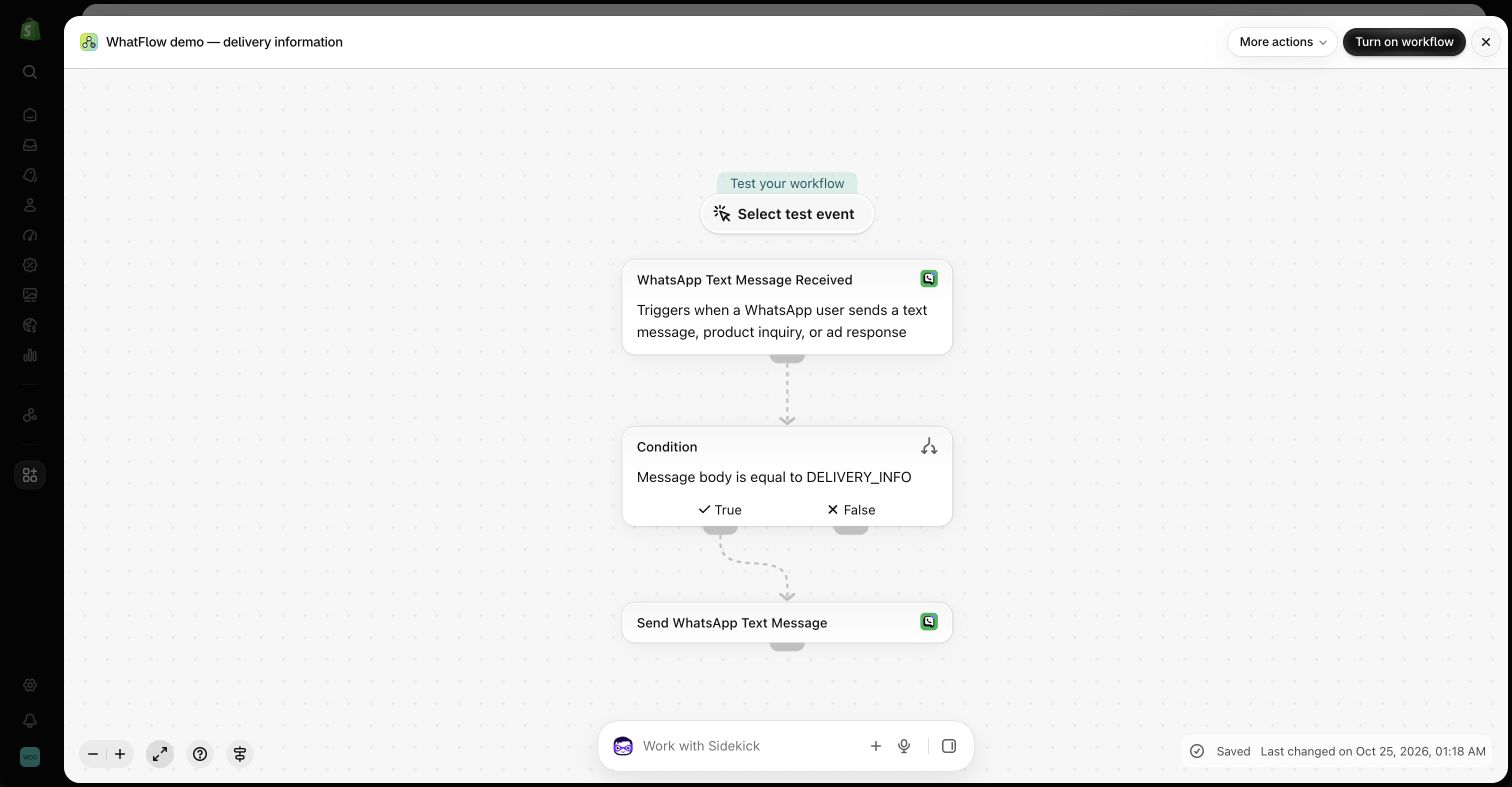
Before you choose a platform
- Keep the detailed receipt accessible.
- Assign clarification replies to an informed colleague.
- Review duplicate contact before expanding.
About the author
Safwan Adnan is co-founder and CEO of WhatFlow. This comparison explains our product’s fit and the alternative’s tradeoffs. About WhatFlow · Contact the team with a question or correction.
Questions worth asking
When is WhatsApp with WhatFlow useful compared with email?
WhatFlow can add WhatsApp alongside a working email program. A store does not need to move its newsletter platform to benefit from Shopify-triggered conversations and an inbox without seat fees.
What should the pilot measure?
Choose one operational message, such as a fulfillment update. Keep the content useful and the timing comparable, then review replies, delivery and resulting support effort. Leave detailed receipts in the channel that already serves them well.
Does the free WhatFlow plan restrict features?
No. WhatFlow offers all features across all plans, including Free. Plans differ by messaging allowances and rates. The team inbox has no seat fees, and theme-matched WhatsApp buttons are free forever.
Are WhatsApp delivery charges included in every example?
No. The worked examples show WhatFlow app-side costs. Add applicable Meta delivery charges for your destination and message category, along with tax or any separately purchased services.
Sources and methodology
We checked these primary sources on October 25, 2026. Vendor pages describe advertised capabilities, rather than independent performance tests. Confirm current pricing, plan limits and availability with each provider.
- WhatFlow plans and Shopify integrations
Published subscription prices, included sends, usage tiers and advertised Shopify workflows. No-seat-fee and all-features policies are confirmed by WhatFlow.
- WhatsApp Business Platform pricing
Delivery pricing depends on the destination and message category; eligibility rules and current rates must be checked separately from app costs.
- Google: New Gmail protections for a safer, less spammy inbox (October 3, 2023)
Google’s October 3, 2023 announcement provides historical context on bulk-sender authentication, easy unsubscribe and wanted email. It is not the complete current policy or evidence of a guaranteed inbox placement or channel-performance difference.