
Publisher disclosure: this comparison is written by WhatFlow. Competitor capabilities are based on the linked public documentation; the WhatFlow screenshots come from our demo store. Examples are illustrative, and results depend on your store and configuration.
WhatsApp with WhatFlow and Instagram DMs at a glance
| Consideration | WhatsApp with WhatFlow | Instagram DMs |
|---|---|---|
| Best-fit experience | WhatFlow is a practical home for the Shopify stage of that journey, with full feature access and an inbox that can involve the wider operations team without seat fees. | Instagram DMs retain the context of social discovery and can be excellent for creator-led selling. WhatsApp can be more convenient for order follow-up among customers who prefer it. Do not move the customer without permission or treat a social follow as WhatsApp opt-in. |
| Costs to include | Selected message plan plus applicable Meta delivery fees; no inbox seat fees | Compare the tools needed to manage social leads with the tools needed to handle Shopify events. Paying for a social automation system may be justified for acquisition, but it should not be assumed to cover the entire post-purchase workflow. |
| Shopify workflow | Combine Shopify-related WhatsApp updates and shared staff replies after an eligible customer chooses WhatsApp for the order conversation. | Discovery context can remain valuable after checkout. Review the alternative’s actual configured route against the acceptance exercise below. |
| Starting point | Free plan and free-forever theme-matched WhatsApp buttons. All features available; sending allowances differ. | Retain the relevant offer and variant context. Keep existing tools that still serve the intended customer task. |
Key takeaways
- Put the Shopify order-stage conversation into WhatFlow when the buyer chooses WhatsApp.
- Keep variant and offer context from Instagram discovery.
- Do not transfer a social follow into WhatsApp marketing permission.
Start with the customer’s job
Instagram is a natural place for product discovery. A customer may first ask about an item under a post or through a direct message. Once the conversation becomes an order, WhatsApp can provide a useful channel for the store’s ongoing operational messages and replies.
Where each approach helps
Instagram DMs retain the context of social discovery and can be excellent for creator-led selling. WhatsApp can be more convenient for order follow-up among customers who prefer it. Do not move the customer without permission or treat a social follow as WhatsApp opt-in.
For the corresponding Facebook discovery journey, compare WhatsApp vs Messenger for Shopify customer conversations.
The practical cost difference
Compare the tools needed to manage social leads with the tools needed to handle Shopify events. Paying for a social automation system may be justified for acquisition, but it should not be assumed to cover the entire post-purchase workflow.
When choosing the operator’s working surface, review Shopify-native WhatsApp vs an external messaging dashboard.
Check the current scope in WhatsApp Business Platform pricing before using this comparison as a purchasing or sending decision.
Why I would use WhatFlow for this workflow
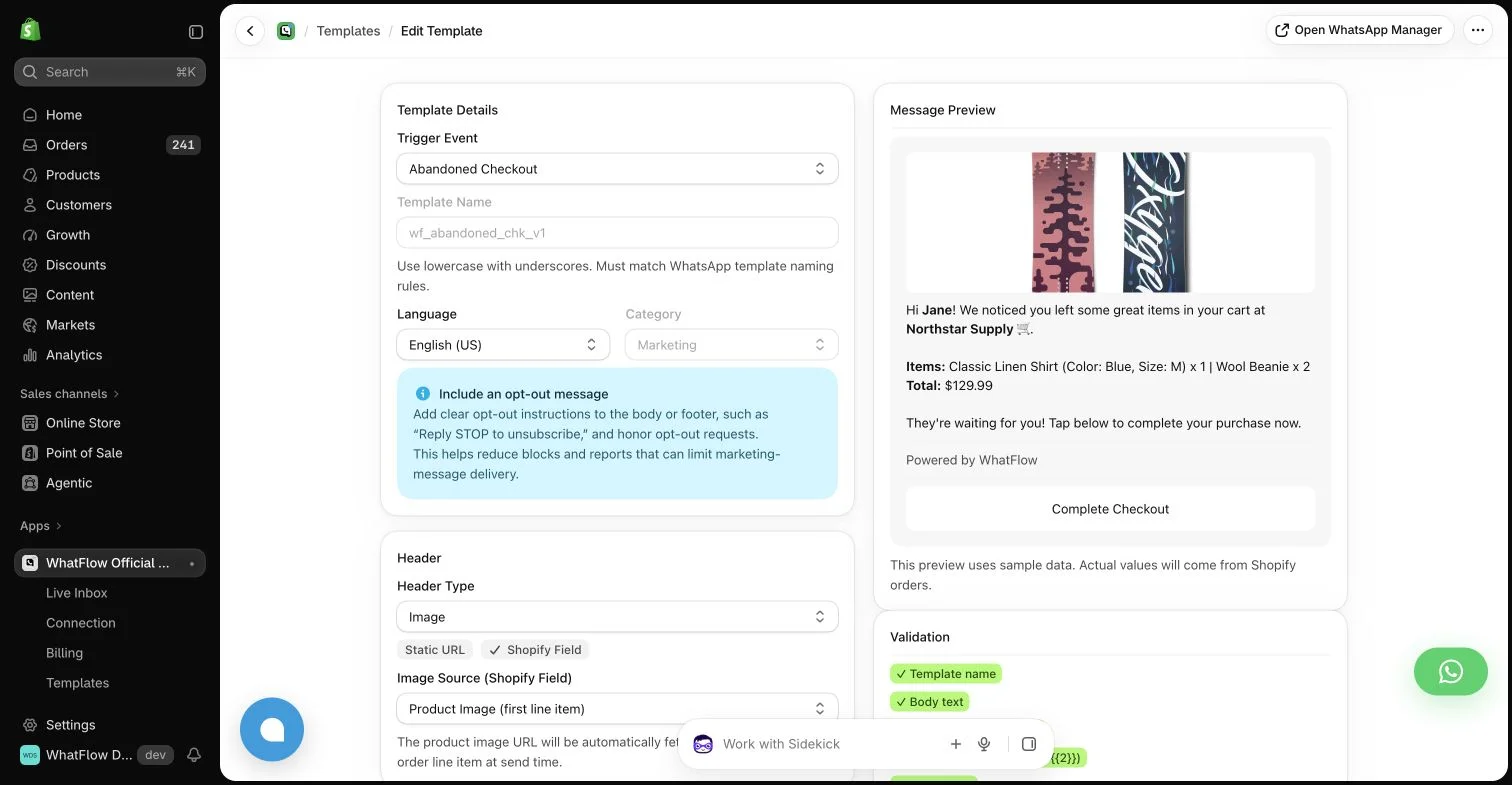
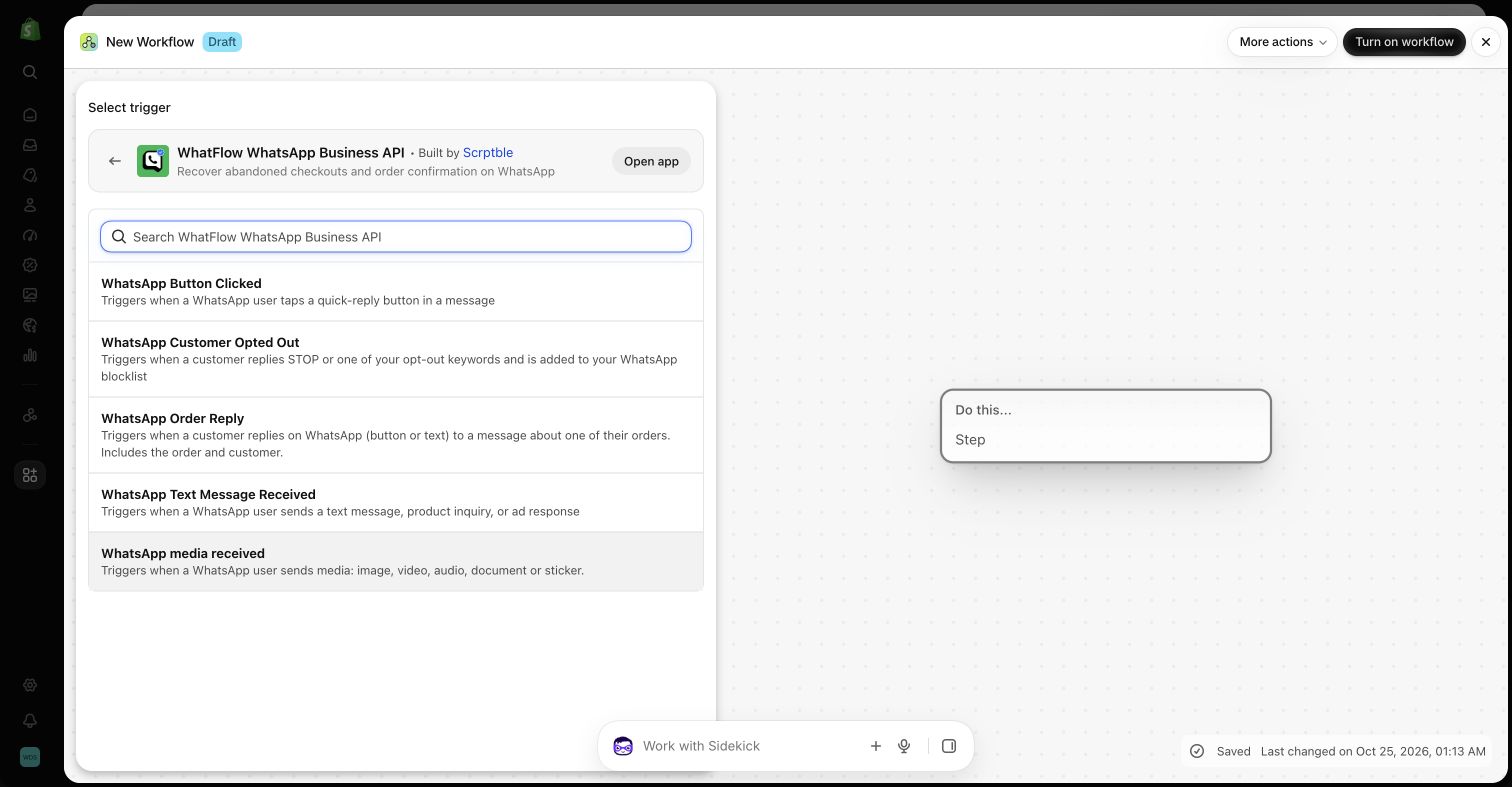
Use WhatFlow to continue the buyer’s order conversation and involve the colleague responsible for fulfillment or product advice. Keep Instagram’s discovery context where it helps. The handoff should reflect the purchased variant and the customer’s channel choice, rather than simply copying a social chat into a new system.
Offer a deliberate route from discovery to an order question
For a hypothetical creator-led product enquiry, record the specific variant and any promise made during the Instagram conversation. After checkout, ask whether the customer wishes to use WhatsApp for the relevant follow-up, using the store’s actual permission process. Inspect how the support colleague finds the correct order without copying the whole social conversation into a second system. WhatFlow is useful when Shopify events and replies need a maintained operational route; it does not replace the social context that helped the shopper discover the item. Include a changed-variant question in the review and ensure the answer reflects the purchased product rather than the first image the customer asked about.
Follow a product enquiry through checkout and fulfillment. Decide when the customer should be offered WhatsApp and how the team links the resulting conversation to the correct order without losing context.
WhatFlow’s allowance and team costs
For a concrete baseline, consider 40,000 sent messages in a month. Among the listed WhatFlow plans, Scale produces an app-side cost of $49.99 at that volume. This calculation uses its $49.99 base, 40,000 included sends and $0.002 rate above the allowance. It assumes a single monthly allowance and does not include tax or Meta delivery charges. It is a planning example, not a combined quote for every possible message category or destination.
Keep three lines in the budget: the application, applicable WhatsApp delivery fees, and any separate implementation or services. Meta pricing varies by destination and category, and some service or qualifying utility messages have different treatment. An app allowance does not override Meta’s rules. The current installation terms and rate pages should be checked before committing a campaign budget.
The features you keep as the store grows
The storefront WhatsApp buttons remain free forever and can fit the Shopify theme and design. The button is an entry point, not a promise of unlimited free automated sends. Automated messaging still follows the selected allowance and applicable delivery rules. Keeping those two costs separate makes the free offering easier to understand.
A sensible first rollout
For implementation detail, continue with Coordinate email, SMS and WhatsApp without overwhelming customers.
Before you choose a platform
- Retain the relevant offer and variant context.
- Use an explicit channel-choice process.
- Check the final purchased item before replying.
About the author
Safwan Adnan is co-founder and CEO of WhatFlow. This comparison explains our product’s fit and the alternative’s tradeoffs. About WhatFlow · Contact the team with a question or correction.
Questions worth asking
When is WhatsApp with WhatFlow useful compared with instagram dms?
WhatFlow is a practical home for the Shopify stage of that journey, with full feature access and an inbox that can involve the wider operations team without seat fees.
What should the pilot measure?
Follow a product enquiry through checkout and fulfillment. Decide when the customer should be offered WhatsApp and how the team links the resulting conversation to the correct order without losing context.
Does the free WhatFlow plan restrict features?
No. WhatFlow offers all features across all plans, including Free. Plans differ by messaging allowances and rates. The team inbox has no seat fees, and theme-matched WhatsApp buttons are free forever.
Are WhatsApp delivery charges included in every example?
No. The worked examples show WhatFlow app-side costs. Add applicable Meta delivery charges for your destination and message category, along with tax or any separately purchased services.
Sources and methodology
We checked these primary sources on October 25, 2026. Vendor pages describe advertised capabilities, rather than independent performance tests. Confirm current pricing, plan limits and availability with each provider.
- WhatFlow plans and Shopify integrations
Published subscription prices, included sends, usage tiers and advertised Shopify workflows. No-seat-fee and all-features policies are confirmed by WhatFlow.
- WhatsApp Business Platform pricing
Delivery pricing depends on the destination and message category; eligibility rules and current rates must be checked separately from app costs.