
Publisher disclosure: this comparison is written by WhatFlow. Competitor capabilities are based on the linked public documentation; the WhatFlow screenshots come from our demo store. Examples are illustrative, and results depend on your store and configuration.
WhatFlow and External dashboard at a glance
| Consideration | WhatFlow | External dashboard |
|---|---|---|
| Best-fit experience | WhatFlow’s Shopify extensions and event-linked workflows keep messaging close to the store, with an included inbox and no seat fees. | An external dashboard can be useful when several stores or departments share a centralized operation. The tradeoff is the handoff back to Shopify. Check the working surfaces, permissions and data freshness instead of judging integration depth by the presence of a connector logo. |
| Costs to include | Selected message plan plus applicable Meta delivery fees; no inbox seat fees | Include the external platform, connector and user subscriptions where applicable. Also record the time needed to investigate an exception; that is an operational cost, even when it does not appear on an invoice. |
| Shopify workflow | Store-event messaging, explicit Shopify variable mapping and Shopify extensions, with a team inbox for the reply and no seat fees. | Test the full customer scenario above, including the final order action and handoff. |
| Starting point | Free plan and free-forever theme-matched WhatsApp buttons. All features available; sending allowances differ. | Evaluate the existing tool or process on its own terms; a free entry point may cover only part of the workflow. |
Key takeaways
- Start order conversations from Shopify events and current order context.
- Include operational colleagues without a separate WhatFlow seat bill.
- Use central dashboards when their wider coordination solves an identified requirement.
Start with the customer’s job
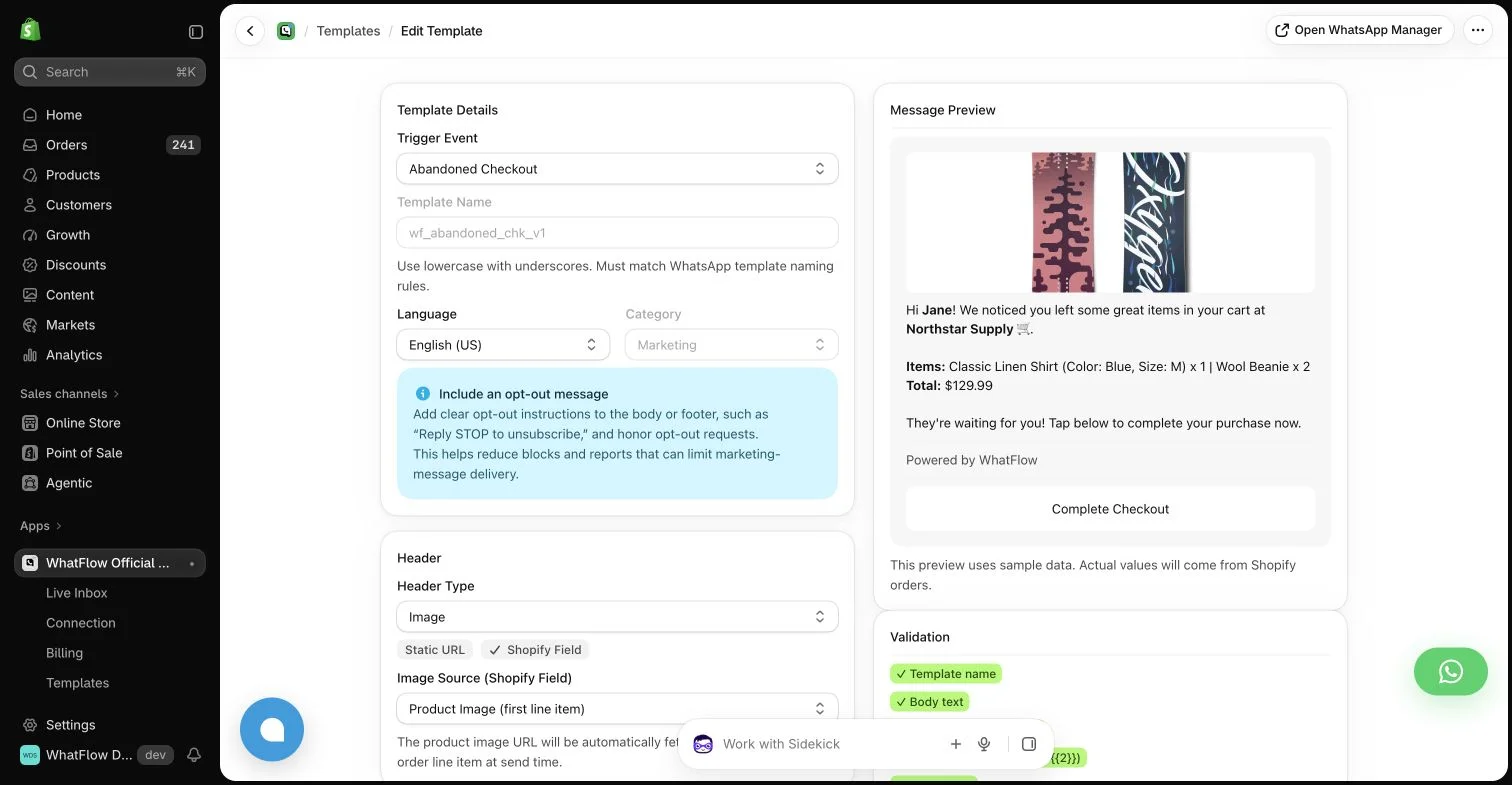
A busy store operator should be able to act on an order without reconstructing it in another system. A native-feeling Shopify workflow is valuable because the person answering a buyer is often also checking fulfillment, stock or payment. The integration needs to help that person complete the task, not merely copy a phone number into a contact list.
Where each approach helps
An external dashboard can be useful when several stores or departments share a centralized operation. The tradeoff is the handoff back to Shopify. Check the working surfaces, permissions and data freshness instead of judging integration depth by the presence of a connector logo.
Review workflow connection choices when another working surface needs an event.
The practical cost difference
Include the external platform, connector and user subscriptions where applicable. Also record the time needed to investigate an exception; that is an operational cost, even when it does not appear on an invoice.
Why I would use WhatFlow for this workflow
A changed address is a useful reason to favor the store-focused workflow. The operator needs to identify the intended order and its current state before answering or acting. Put WhatFlow at the center of that Shopify WhatsApp task, then inspect the specific surfaces and permissions the team will use. A centralized platform can remain valuable for wider coordination, but a synchronized contact is not the same thing as a completed order-handling process.
Use WhatFlow’s Shopify listing to identify the app being evaluated, then inspect the actual configured surfaces.
Trace a changed address across the working surfaces
Hypothetical example: a buyer asks about delivery after an address has changed in Shopify. Ask the operator to find the intended order, identify the current address and explain the next step without relying on an old copied summary. Record which screen supplies the authoritative value and how the other surface updates or flags the difference.
Repeat with a cancelled order so a convenient message action cannot hide stale eligibility. Count the lookups and unresolved decisions as process observations, not a promised time saving. A Shopify-focused app may reduce context switching; a centralized dashboard may offer broader coordination. Choose based on the case the actual team can complete accurately.
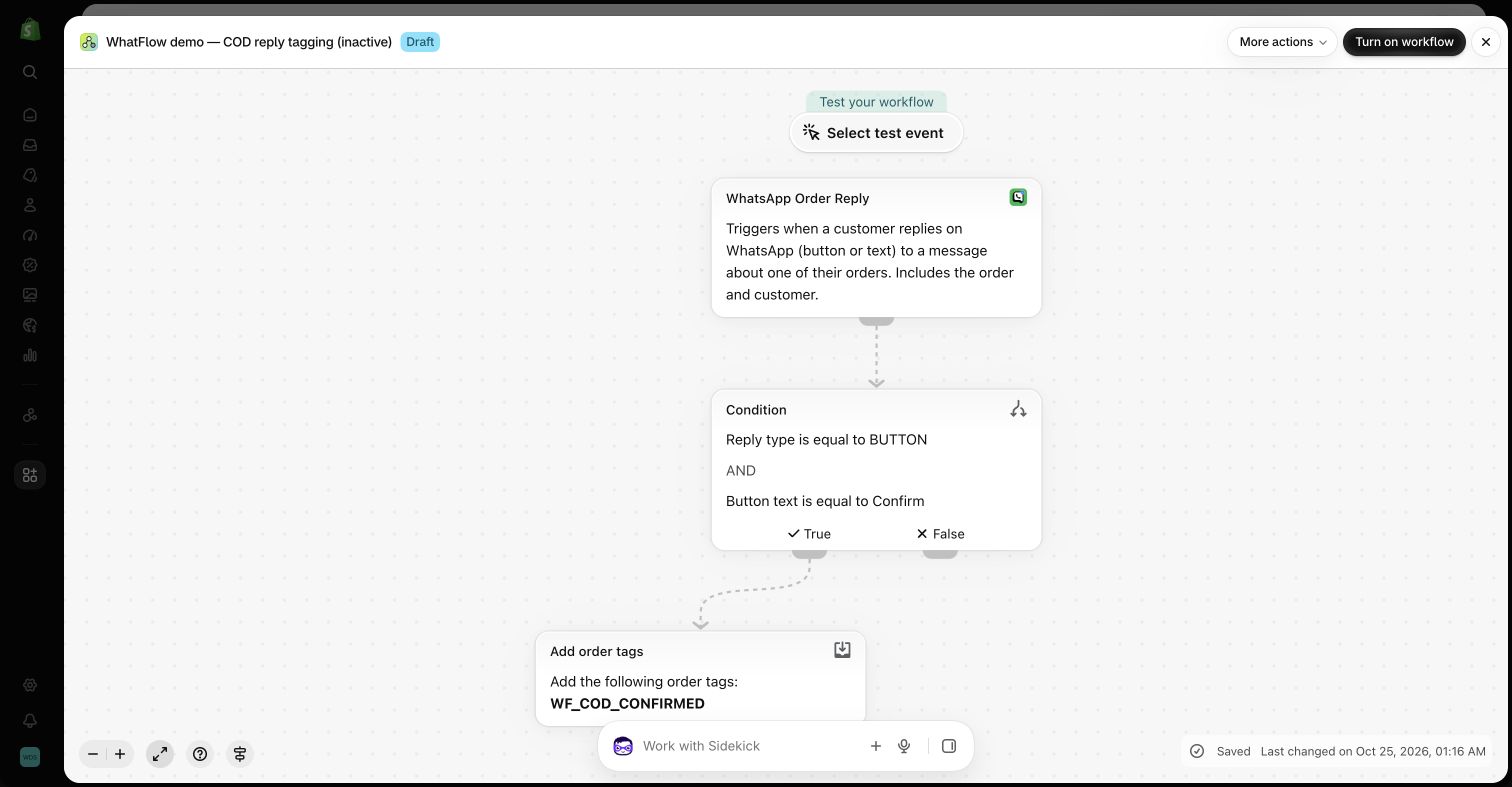
Have a staff member open an order, send a relevant message, read the reply and make the appropriate order action. Repeat with a changed address and a canceled order to expose stale-data problems.
Compare automated versus copied order context where staff currently transfer details by hand.
Document the inbox handoff process so another colleague can continue the order case.
WhatFlow’s allowance and team costs
For a concrete baseline, consider 40,000 sent messages in a month. Among the listed WhatFlow plans, Scale produces an app-side cost of $49.99 at that volume. This calculation uses its $49.99 base, 40,000 included sends and $0.002 rate above the allowance. It assumes a single monthly allowance and does not include tax or Meta delivery charges. It is a planning example, not a combined quote for every possible message category or destination.
Keep three lines in the budget: the application, applicable WhatsApp delivery fees, and any separate implementation or services. Meta pricing varies by destination and category, and some service or qualifying utility messages have different treatment. An app allowance does not override Meta’s rules. The current installation terms and rate pages should be checked before committing a campaign budget.
The features you keep as the store grows
The storefront WhatsApp buttons remain free forever and can fit the Shopify theme and design. The button is an entry point, not a promise of unlimited free automated sends. Automated messaging still follows the selected allowance and applicable delivery rules. Keeping those two costs separate makes the free offering easier to understand.
A sensible first rollout
For a related decision, compare Email review requests: WhatsApp vs email review requests after a Shopify purchase. Compare customer experience, real operating costs and Shopify workflows, with a practical test and WhatFlow pricing example.
Before you choose a platform
- Identify the authoritative source for changing order facts.
- Test a changed address and cancelled order.
- Check the operator’s permission for the intended action.
About the author
Safwan Adnan is co-founder and CEO of WhatFlow. This comparison explains our product’s fit and the alternative’s tradeoffs. About WhatFlow · Contact the team with a question or correction.
Questions worth asking
When is WhatsApp with WhatFlow useful compared with external dashboard?
WhatFlow’s Shopify extensions and event-linked workflows keep messaging close to the store, with an included inbox and no seat fees.
What should the pilot measure?
Have a staff member open an order, send a relevant message, read the reply and make the appropriate order action. Repeat with a changed address and a canceled order to expose stale-data problems.
Does the free WhatFlow plan restrict features?
No. WhatFlow offers all features across all plans, including Free. Plans differ by messaging allowances and rates. The team inbox has no seat fees, and theme-matched WhatsApp buttons are free forever.
Are WhatsApp delivery charges included in every example?
No. The worked examples show WhatFlow app-side costs. Add applicable Meta delivery charges for your destination and message category, along with tax or any separately purchased services.
Sources and methodology
We checked these primary sources on October 25, 2026. Vendor pages describe advertised capabilities, rather than independent performance tests. Confirm current pricing, plan limits and availability with each provider.
- WhatFlow plans and Shopify integrations
Published subscription prices, included sends, usage tiers and advertised Shopify workflows. No-seat-fee and all-features policies are confirmed by WhatFlow.
- WhatsApp Business Platform pricing
Delivery pricing depends on the destination and message category; eligibility rules and current rates must be checked separately from app costs.
- Shopify Flow
Shopify’s automation context; test each proposed integration and action in the intended store.