
Publisher disclosure: this comparison is written by WhatFlow. Competitor capabilities are based on the linked public documentation; the WhatFlow screenshots come from our demo store. Examples are illustrative, and results depend on your store and configuration.
WhatFlow and Manual copy-and-paste messaging at a glance
| Consideration | WhatFlow | Manual copy-and-paste messaging |
|---|---|---|
| Best-fit experience | WhatFlow’s Shopify template mapping and event-driven messaging reduce repeated copying while the included no-seat-fee inbox keeps a human available for replies. | Manual messages remain useful for unusual cases and personal service. Automation should take care of predictable information, leaving the team free to answer the question that does not fit a template. |
| Costs to include | Selected message plan plus applicable Meta delivery fees; no inbox seat fees | Include staff time and corrections alongside software and delivery costs. Do not claim a fixed number of hours saved without measuring the store’s actual process and volume. |
| Shopify workflow | Map Shopify order values into event-based templates, then continue customer replies in the included team inbox. | Automate a defined event rather than an unresolved decision. Review the alternative’s actual configured route against the acceptance exercise below. |
| Starting point | Free plan and free-forever theme-matched WhatsApp buttons. All features available; sending allowances differ. | Change a source field before inspecting the next draft. Keep existing tools that still serve the intended customer task. |
Key takeaways
- Automate repeatable order information through WhatFlow’s Shopify templates.
- Keep a person responsible for changed details and exceptions.
- Measure actual copying and corrections before claiming time saved.
Start with the customer’s job
Copying an order into WhatsApp feels harmless when there are only a few purchases. The work grows with every fulfillment update, changed address and follow-up question. A repeated task is a good candidate for automation when the data and timing can be defined clearly.
Where each approach helps
Manual messages remain useful for unusual cases and personal service. Automation should take care of predictable information, leaving the team free to answer the question that does not fit a template.
If the current process relies on a standalone messaging app, review WhatFlow vs WhatsApp Business app: Shopify features, inbox and pricing.
The practical cost difference
Include staff time and corrections alongside software and delivery costs. Do not claim a fixed number of hours saved without measuring the store’s actual process and volume.
For a separate visual-automation choice, compare Shopify Flow WhatsApp automation vs a Zapier messaging chain.
Check the current scope in WhatsApp Business Platform pricing before using this comparison as a purchasing or sending decision.
Why I would use WhatFlow for this workflow
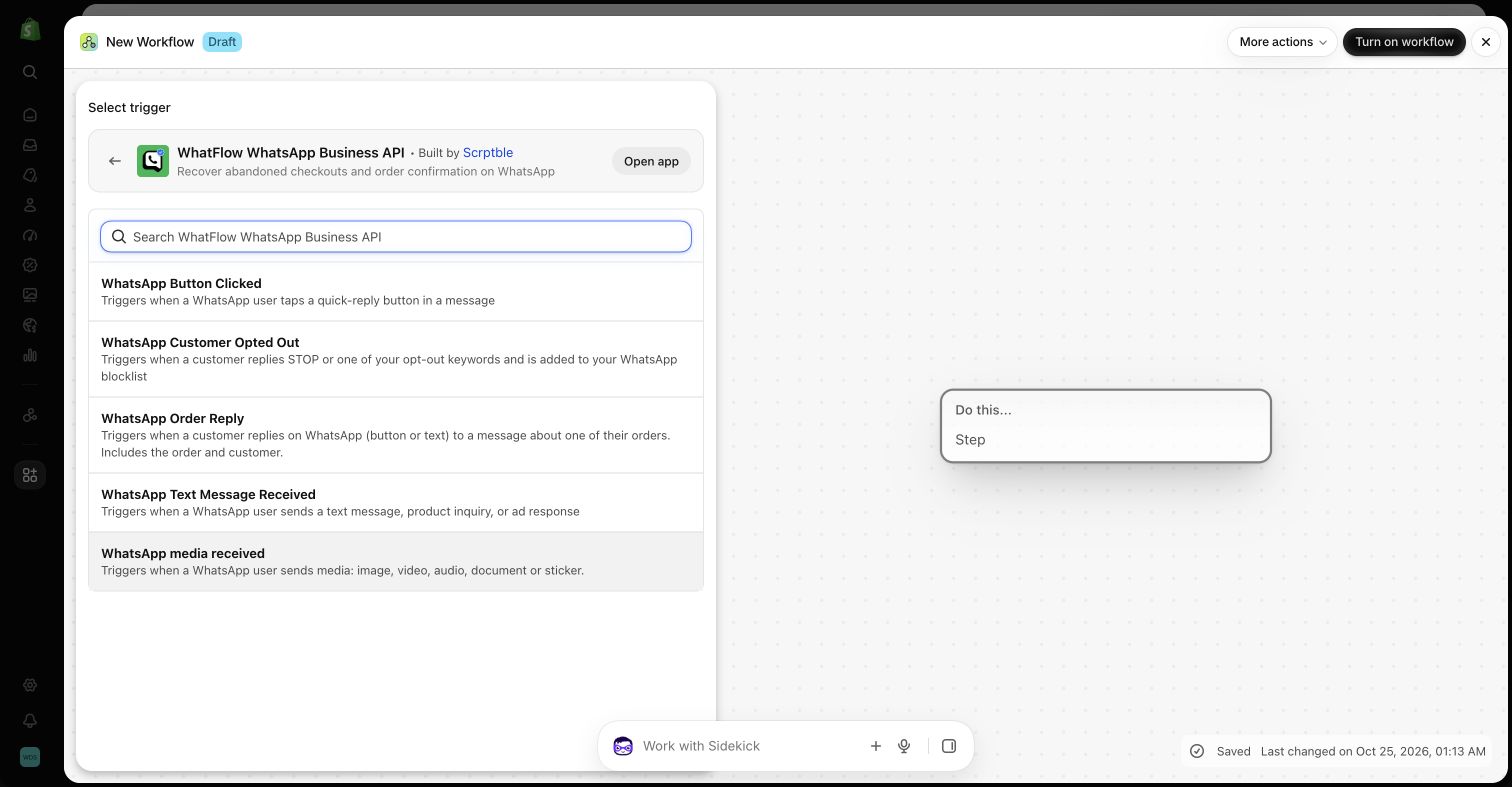
Move the predictable order update into WhatFlow and spend staff attention on the buyer’s actual question. Begin with a checked event and mapped fields, then verify a correction and missing-value case. Manual work remains valuable for judgment, without being the default delivery system for every routine update.
Check how a correction reaches the next message
Use a hypothetical address correction to compare the processes. Begin with an order whose details were copied into a draft conversation, then change the relevant store record before the next update. Ask which value the operator would send, how an automated workflow obtains its value and what happens when the information is missing. Record any manual rechecking rather than assuming the workflow always sees a current field. WhatFlow’s mapped Shopify messages can remove repeated composition, but the process still needs a rule for changed records and a human exception. A dependable acceptance result is that the team can explain the source of each value and stop a misleading update before sending.
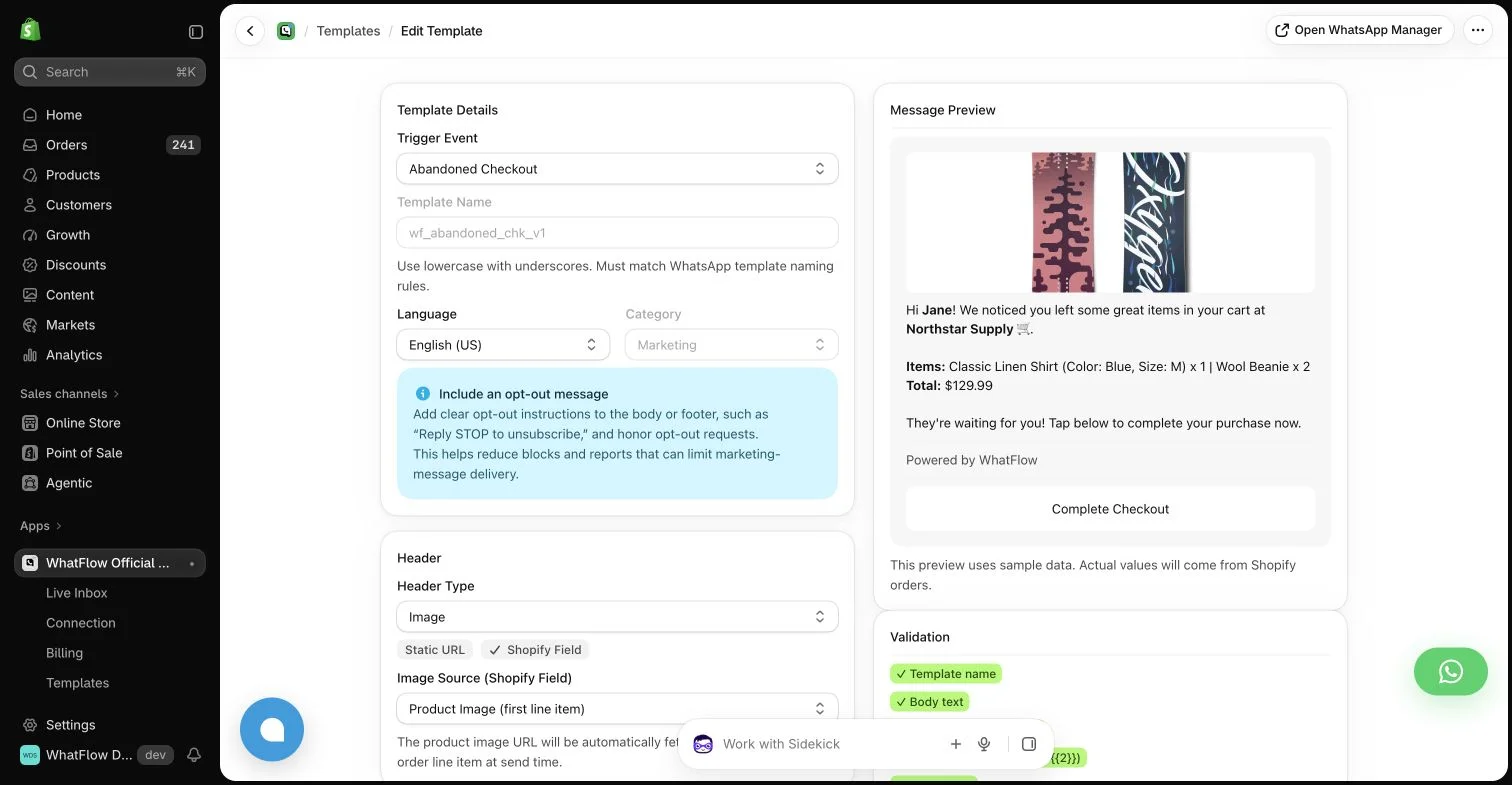
Map the customer name, order reference, product details and destination link from a test order. Change one value and inspect the preview before enabling the workflow for real recipients.
WhatFlow’s allowance and team costs
For a concrete baseline, consider 1,000 sent messages in a month. Among the listed WhatFlow plans, Starter produces an app-side cost of $4.99 at that volume. This calculation uses its $4.99 base, 2,000 included sends and $0.005 rate above the allowance. It assumes a single monthly allowance and does not include tax or Meta delivery charges. It is a planning example, not a combined quote for every possible message category or destination.
Keep three lines in the budget: the application, applicable WhatsApp delivery fees, and any separate implementation or services. Meta pricing varies by destination and category, and some service or qualifying utility messages have different treatment. An app allowance does not override Meta’s rules. The current installation terms and rate pages should be checked before committing a campaign budget.
A sensible first rollout
For implementation detail, continue with Set up a shared team inbox without losing conversation ownership.
Before you choose a platform
- Change a source field before inspecting the next draft.
- Document missing-value behavior.
- Name the person handling exceptions.
About the author
Safwan Adnan is co-founder and CEO of WhatFlow. This comparison explains our product’s fit and the alternative’s tradeoffs. About WhatFlow · Contact the team with a question or correction.
Questions worth asking
When is WhatsApp with WhatFlow useful compared with manual copy-and-paste messaging?
WhatFlow’s Shopify template mapping and event-driven messaging reduce repeated copying while the included no-seat-fee inbox keeps a human available for replies.
What should the pilot measure?
Map the customer name, order reference, product details and destination link from a test order. Change one value and inspect the preview before enabling the workflow for real recipients.
Does the free WhatFlow plan restrict features?
No. WhatFlow offers all features across all plans, including Free. Plans differ by messaging allowances and rates. The team inbox has no seat fees, and theme-matched WhatsApp buttons are free forever.
Are WhatsApp delivery charges included in every example?
No. The worked examples show WhatFlow app-side costs. Add applicable Meta delivery charges for your destination and message category, along with tax or any separately purchased services.
Sources and methodology
We checked these primary sources on October 25, 2026. Vendor pages describe advertised capabilities, rather than independent performance tests. Confirm current pricing, plan limits and availability with each provider.
- WhatFlow plans and Shopify integrations
Published subscription prices, included sends, usage tiers and advertised Shopify workflows. No-seat-fee and all-features policies are confirmed by WhatFlow.
- WhatsApp Business Platform pricing
Delivery pricing depends on the destination and message category; eligibility rules and current rates must be checked separately from app costs.