
Publisher disclosure: this comparison is written by WhatFlow. Competitor capabilities are based on the linked public documentation; the WhatFlow screenshots come from our demo store. Examples are illustrative, and results depend on your store and configuration.
WhatFlow and 360dialog at a glance
| Consideration | WhatFlow | 360dialog |
|---|---|---|
| What you are selecting | A Shopify application with event and template workflows | WhatsApp API access, platform products and partner integrations |
| Source of this comparison | Observed Shopify demo configuration; test your required workflow before launch | Linked vendor product documentation; confirm plan and account availability |
| Cost check | Use current WhatFlow pricing and the Shopify installation terms for your expected usage | Request a current 360dialog quote covering the required product, integration and message volume |
Connectivity and workflow are separate decisions
A business needs access to WhatsApp, but it also needs a way to decide what to send and why. For Shopify, that means connecting an order or checkout event to a recipient, a template and an outcome the team can inspect.
A comparison between WhatFlow and 360dialog should make those layers visible. Otherwise, the store may compare two prices that pay for different parts of the system.
What 360dialog presents
360dialog's site describes WhatsApp API access, webhooks, partner integrations and additional platform products. It also advertises pricing without markup on Meta fees. Those are relevant factors when a business is choosing the connectivity and software architecture for its WhatsApp operation.
Ask which application, partner service or custom build is included in the proposed setup. The answer determines who owns the Shopify workflows and the operator experience.
WhatFlow's application layer
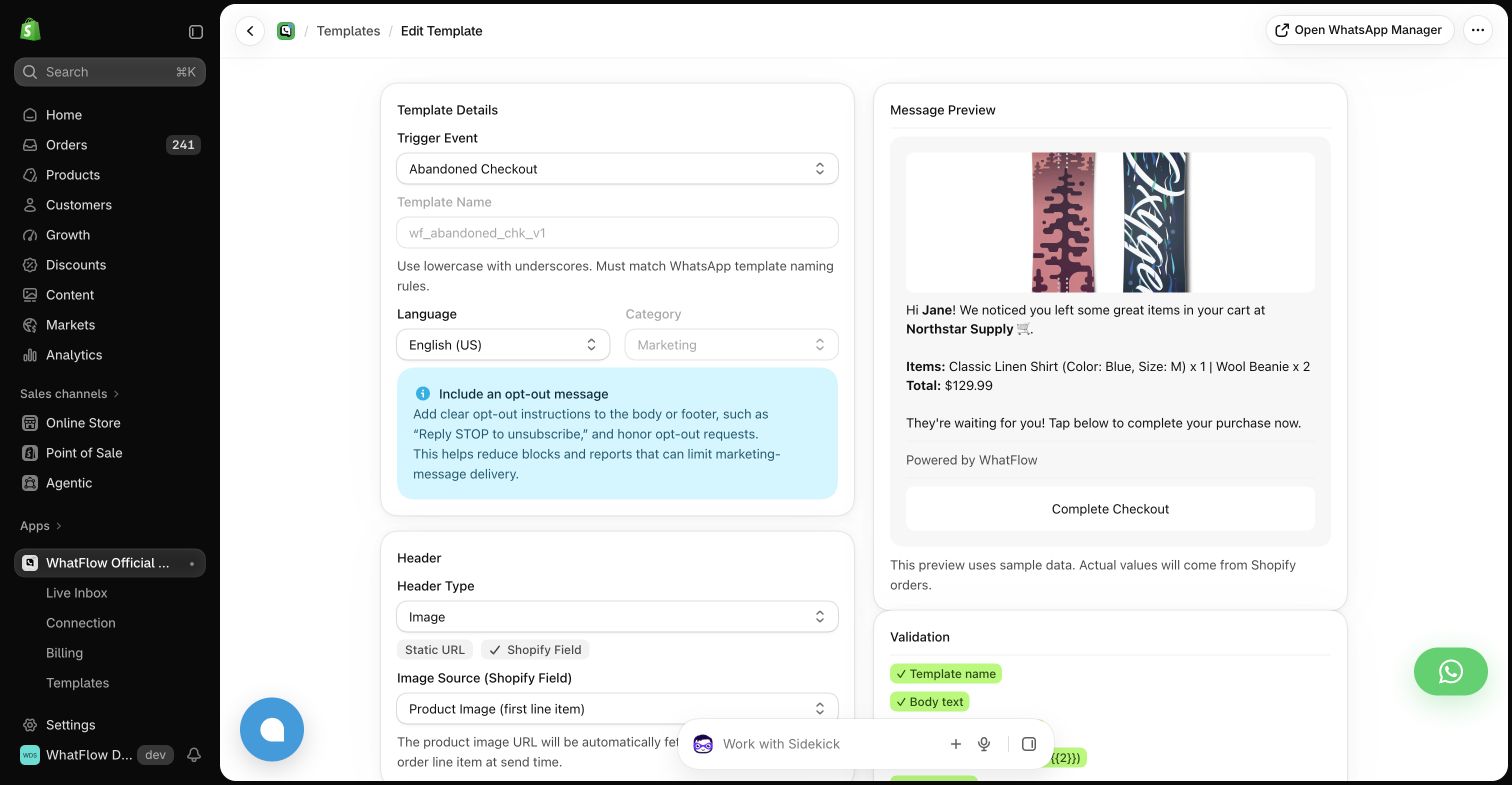
The WhatFlow demo app places event automations, template editing and Shopify field mappings in an existing store application. An operator can inspect a checkout reminder and its recovery-link mapping directly in that workflow.
This is the layer to compare with whatever sits around a 360dialog connection. It would be unfair to treat API access alone as if it claimed to be a complete Shopify operations interface.
Draw the architecture before comparing cost
Put Shopify, the messaging application, the WhatsApp connection and the support team on a simple diagram. Identify who owns each piece. Then ask which vendor bills for software, which bills for messaging and which team handles failures.
For a partner-based setup, include the partner's fees and support responsibilities. For a custom build, include engineering time and maintenance. For an app, include the relevant subscription and usage terms. The useful comparison is the cost of the finished working process.
Check number and account ownership
Before any migration, ask who controls the business account and number, which records can be exported and what the supported cutover process looks like. Keep your current operation running while the replacement is evaluated wherever the providers' supported setup permits.
Do not assume chat history, templates or connection settings move automatically. Request an account-specific checklist from the responsible providers and schedule the change only after the operational owners understand it.
Choose the layer you need
Evaluate 360dialog when connectivity and architectural control are part of the buying decision. Evaluate WhatFlow when the immediate requirement is a configured Shopify application. If you are comparing a partner solution with WhatFlow, compare the complete partner offering rather than the connection fee alone.
Questions worth asking
Is 360dialog only a Shopify app?
No. Its product overview describes WhatsApp API access, platform products and partner integrations.
How do I compare an API connection with an app subscription?
Include the surrounding application, integration work, support and message costs so both estimates describe the same working outcome.
Sources and methodology
We checked these primary sources on October 24, 2026. Vendor pages describe advertised capabilities, rather than independent performance tests. Confirm current pricing, plan limits and availability with each provider.
- 360dialog product overview
Primary source for the advertised 360dialog capabilities discussed above.
- WhatFlow Shopify App Store listing
Official app identity and current installation terms. WhatFlow workflow descriptions also reflect the demo-store configuration pictured in this guide.