
Publisher disclosure: this comparison is written by WhatFlow. Competitor capabilities are based on the linked public documentation; the WhatFlow screenshots come from our demo store. Examples are illustrative, and results depend on your store and configuration.
WhatFlow and Infobip at a glance
| Consideration | WhatFlow | Infobip |
|---|---|---|
| Architecture emphasis | Configured Shopify WhatsApp events and templates | WhatsApp within a broader communications and engagement platform |
| Source of this comparison | Observed Shopify demo configuration; test your required workflow before launch | Linked vendor product documentation; confirm plan and account availability |
| Cost check | Use current WhatFlow pricing and the Shopify installation terms for your expected usage | Request a current Infobip quote covering the required product, integration and message volume |
Enterprise scope deserves an enterprise brief
A company connecting several brands, backend systems and communication channels has a different purchasing problem from a store adding fulfillment notifications. The larger project needs an architecture, implementation ownership and a plan for ongoing operations.
That is the context in which WhatFlow versus Infobip should be evaluated. First describe the scope, then compare the proposals that could deliver it.
Where Infobip fits
Infobip presents WhatsApp Business alongside a broader set of programmable channels and customer-engagement products. Its website includes messaging, journey orchestration, conversational AI and contact-center offerings. That range is relevant when the business wants to coordinate communications across several systems.
Confirm which of those products are included in your proposed implementation. A platform range is not the same thing as a single ready-to-run Shopify workflow.
Where WhatFlow fits
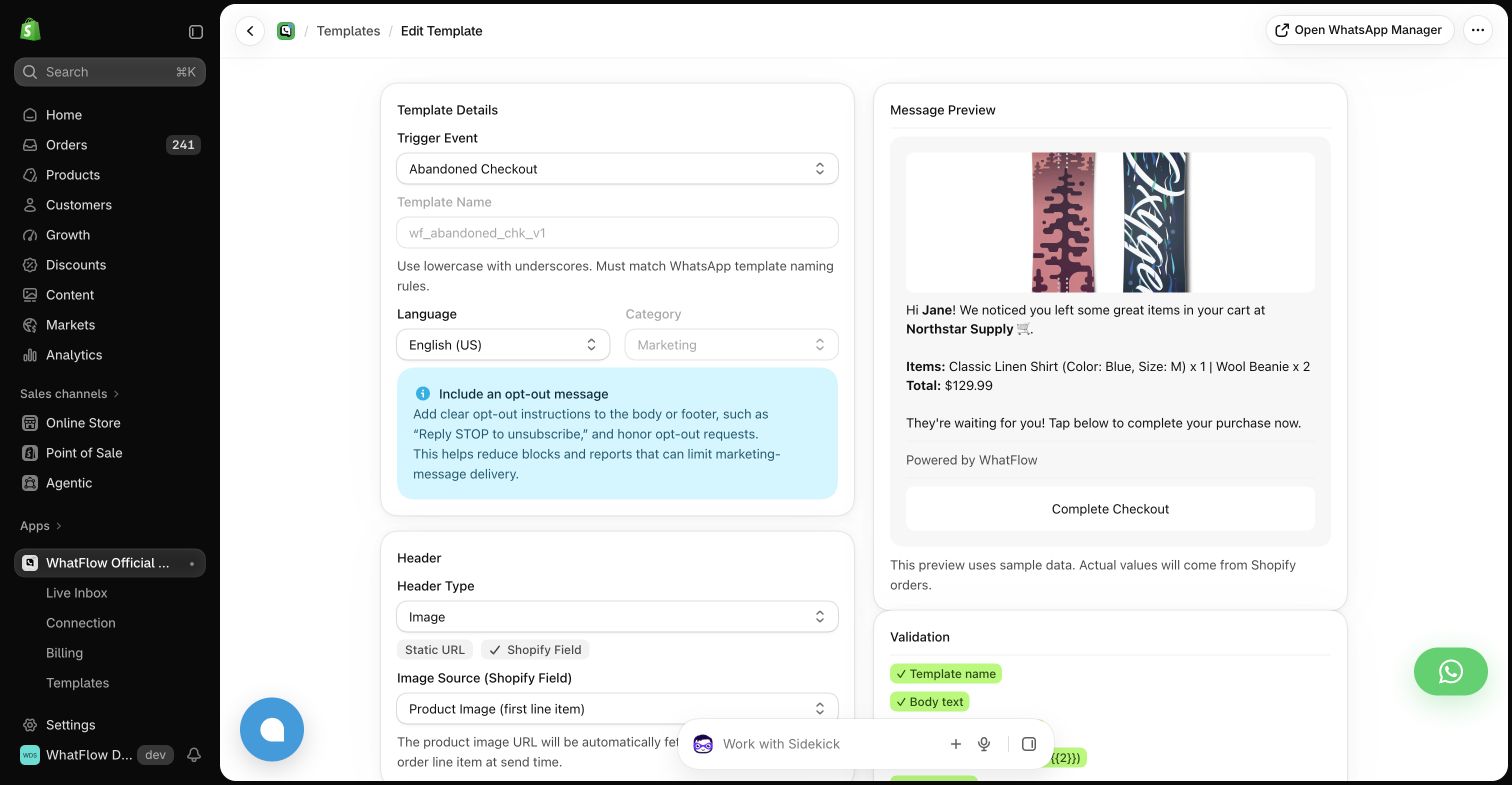
The WhatFlow demo app starts with Shopify events and mapped templates. A store operator can configure an order confirmation or checkout reminder within the existing app. The message editor makes the source fields visible, which helps explain what data should reach the customer.
For a store with a bounded notification requirement, that is a useful starting point. For a larger enterprise architecture, assess whether the required systems and operating model go beyond that scope.
Write down the system of record
If an order changes in an ERP, a fulfillment system and Shopify, which event should send the customer update? Ask the implementation team to show the rule. Otherwise, adding channels can multiply messages without improving the experience.
Use a hypothetical split shipment or late cancellation to test the design. Check whether the customer gets an accurate message and whether an operator can explain why it was sent. The same principle applies to a packaged app, even when the architecture is simpler.
Include support and change management
Ask who will maintain mappings when the business changes its order process. Include the cost of implementation support, monitoring and internal training. A communications platform can be a good foundation, but the store still needs a usable operational process around it.
For WhatFlow, evaluate the current app workflow and support arrangement. For an Infobip-based solution, evaluate the full proposed implementation, including any partner or internal development work. Avoid comparing only the most visible price line.
Choose a proportionate project
Start with WhatFlow when the immediate requirement is a defined Shopify WhatsApp event workflow. Evaluate Infobip when the business needs a broader communications architecture and has a team to govern it. The right amount of software is the amount your actual customer journey requires.
Questions worth asking
Is Infobip a WhatsApp-only provider?
Its product range includes WhatsApp alongside other programmable channels and customer-engagement capabilities.
What matters most in a multichannel store architecture?
A clear source of truth for business events, rules preventing conflicting messages and an identified owner for integration changes and exceptions.
Sources and methodology
We checked these primary sources on October 24, 2026. Vendor pages describe advertised capabilities, rather than independent performance tests. Confirm current pricing, plan limits and availability with each provider.
- Infobip WhatsApp Business overview
Primary source for the advertised Infobip capabilities discussed above.
- WhatFlow Shopify App Store listing
Official app identity and current installation terms. WhatFlow workflow descriptions also reflect the demo-store configuration pictured in this guide.