Maintain a Shopify blog by giving each article a distinct reader task, an owner and review triggers tied to product or policy changes. Check metadata, source links and commercial claims alongside the body. Improve, merge or retire overlapping answers deliberately, preserving useful destinations and keeping substantive update records instead of refreshing dates without meaningful work.
Key takeaways
Assign a distinct reader task to every article.
Review product claims when the underlying capability changes.
Preserve useful destinations when merging or retiring content.
Publishing more articles creates a second job: keeping them accurate and findable. A large archive can contain several versions of the same answer, old product recommendations and guides that no longer match the app interface. Volume becomes useful only when the library remains coherent.
Treat maintenance as part of the publishing process. Give each article a clear purpose, an owner and a reason to be reviewed. A small set of consistent rules can prevent the archive becoming an expensive collection of pages no one confidently links to.
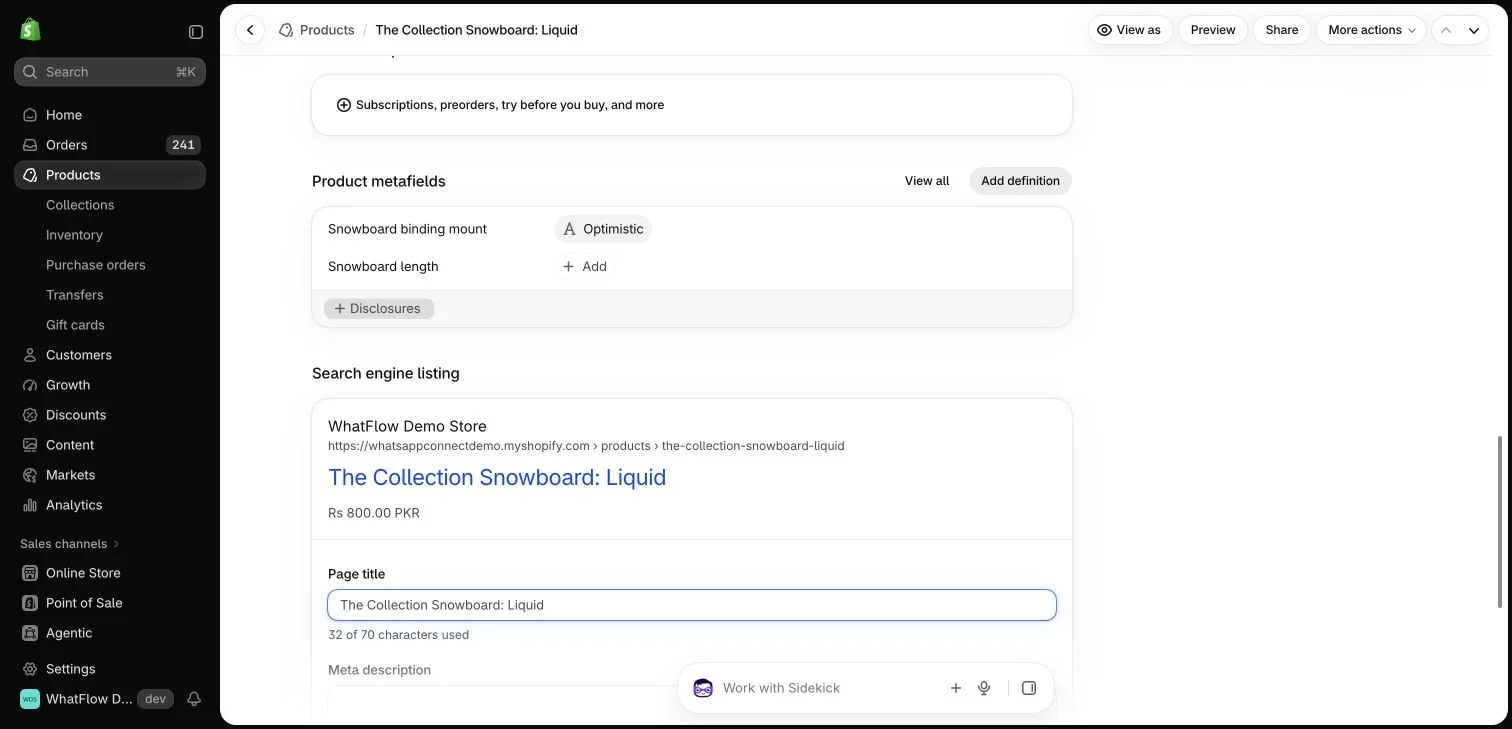
Shopify search-engine listing fields for a demo product. This editor preview does not demonstrate a Google ranking or rich result.
Define topic boundaries before expanding
Group articles by the reader task and identify the main guide for each important topic. Supporting articles should answer a distinct question rather than repeat the same introduction with a different title. If two pages compete to provide the same answer, consider improving or consolidating them.
Keep the editorial map separate from the runtime content source. In a CMS-backed site, published pages should read their editable documents from the CMS. A hidden hardcoded fallback can make an old article reappear after an editor thinks it was changed or removed.
A product specification change, policy update or app-interface change can make a guide stale before its calendar review date. Identify which events should prompt an update and who will notice them. This is more dependable than assuming every article remains accurate for a fixed year.
Use review dates honestly. Checking a source is different from rewriting the entire article. Do not change the published date merely to imply new work. Keep a short internal record of what was checked or corrected when the subject is important to a buyer’s decision.
Make the library navigable by purpose
Use topic categories and useful internal links so readers can move from a broad guide to the specific next question. A search field can help with a larger archive, but it should not be the only way to find the main topics.
Choose link labels that explain the destination. Avoid placing a large identical list of every article at the end of every page. A few relevant next steps serve the reader better and are easier for editors to maintain as the library grows.
Keep commercial claims consistent
Pricing, plan access and app capabilities can appear in many articles. Identify where those claims live and review them when the product changes. Do not let an old trial duration or a retired feature remain in an article template while the main pricing page says something different.
For WhatFlow Business API, the current positioning includes features across plans and no inbox seat fees, with allowances and rates differing by plan. The messaging and review tools still have distinct responsibilities. Keep that distinction clear when an article discusses both customer conversations and review collection.
Review metadata, canonical links, visible headings, source links and related articles alongside the body text. A helpful article can still be difficult to discover if pagination or the sitemap silently stops after the first group of documents.
Test draft behavior as well. Unpublished material should not appear in the public library merely because it has a title or a planned URL. Screenshot-dependent guides should remain clearly pending until the real images and their captions have been reviewed.
Retire or merge pages deliberately
When a guide no longer serves a distinct purpose, decide whether to update, consolidate or retire it through the site’s supported process. Preserve useful destinations and avoid leaving internal links pointed at removed content. The right decision depends on the page’s actual purpose and history.
Google’s guidance favors useful content for people. Apply that principle to the archive as a whole: a reader should find a current, distinct answer without navigating several near-duplicates. A well-maintained library earns its scale by making the next useful piece of information easier to reach.
Hypothetical example: a store has separate articles about review timing, request wording and collection measurement. Keep their boundaries in a register with the main question, owner, key product claims and links to related posts. If the timing article starts duplicating the wording guide, move the detailed example to its proper destination and link to it from the schedule discussion.
Add a review trigger for any changing product claim, such as plan access or an installed integration. Record what was checked and the source used when an update is made. For WhatFlow Business API, keep all-feature plan access, no inbox seat fees and differing message allowances or rates consistent wherever they appear. The register should help an editor locate affected articles without rewriting the entire library on every review.
Explore WhatFlow Business API for WhatsApp messaging and a team inbox with no seat fees. Features are included across plans, including Free; message allowances and rates differ.
Safwan Adnan is co-founder and CEO of WhatFlow. This guide is published by WhatFlow and includes its product where relevant. Worked examples are illustrative unless a caption identifies an actual demo-store configuration; they are not merchant performance results.