Build a Shopify content plan by grouping recurring customer questions around distinct decisions, then assigning each page one useful job. Separate product selection from post-purchase help, substantiate the answer and link to the next relevant step. Give every page a maintenance owner and judge usefulness through appropriate visits, questions and outcomes rather than publishing volume alone.
Key takeaways
Group topics by the decision each page helps complete.
Avoid separate pages that promise essentially the same answer.
Assign an evidence source, maintenance owner and useful next step.
A long list of keywords is not yet a content plan. The useful starting point is a set of questions a customer genuinely needs answered before or after buying. Support conversations, product feedback and recurring comparison questions can reveal those needs more clearly than a list of broad terms.
Build the plan around a reader decision. A guide about choosing the right size should help someone choose a size. A compatibility article should establish what fits and what does not. The commercial connection becomes more credible when the article completes that useful task first.
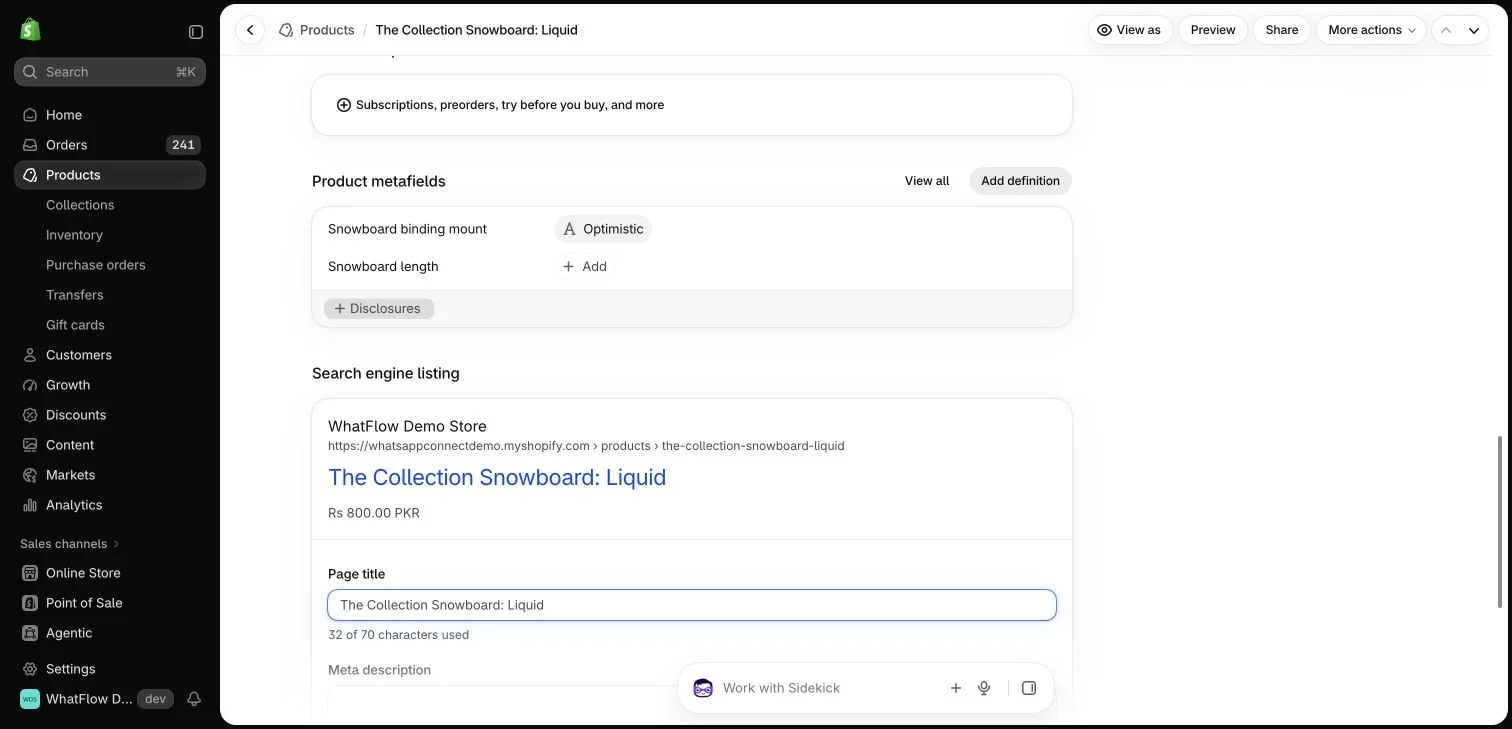
Shopify search-engine listing fields for a demo product. This editor preview does not demonstrate a Google ranking or rich result.
Collect questions without copying private conversations
Summarize recurring themes from reviews and the support inbox. Remove names, phone numbers, order identifiers and other unnecessary personal details. The topic should describe the information need, not reproduce an identifiable customer’s case as public marketing material.
Separate similar-sounding questions that require different answers. “How do I choose the size?” differs from “What can I do if the size is wrong after delivery?” One belongs to product selection; the other belongs to post-purchase help and the store’s actual policy.
Write one sentence describing the reader’s intended outcome. If two proposed articles promise essentially the same answer, consider one stronger guide with useful sections instead. Changing a title or a product adjective does not automatically create a new search intent.
Create separate pages when the decision or evidence materially differs. A guide for fitting a backpack on a child may need different product information from a guide to airline baggage dimensions. Keep the scope grounded in information the store can actually support.
Outline around the decision process
Begin with the question, explain the important variables and provide practical examples. Link to accurate product details where they help the reader act. Avoid a long promotional opening that delays the answer or repeats generic claims about the brand.
Include boundaries. If the advice depends on a product version, destination or policy date, say so. A useful guide can explain when the reader needs a specific measurement or human help instead of pretending one recommendation fits every situation.
The Google Search: creating helpful content guidance supports a people-first editorial approach; use it alongside the specific product evidence needed for your answer.
Connect useful pages deliberately
Link from a relevant product page to the guide that resolves a recurring uncertainty. Link back from the guide to appropriate products or help routes. Use labels that describe the destination rather than repeating an exact phrase unnaturally in every paragraph.
WhatFlow can provide a WhatsApp conversation route for the remaining questions. The message should reach a team that can help, and the guide should still contain the information most readers need. A chat button is a complement to useful content, not a replacement for writing the answer.
Product specifications, compatibility and policies can change. Record who owns each guide and when it should be checked. A content library becomes less useful if an old page continues recommending a discontinued accessory or an obsolete return process.
Use actual changes to prioritize updates. A new product version or repeated support confusion may deserve attention before a cosmetic rewrite. Keep the published date and modification information honest rather than changing dates merely to make an unchanged article look new.
Evaluate the page against its purpose
Review relevant search visits, product questions and customer outcomes using the data available to the store. A page with modest traffic can still be valuable if it answers a difficult purchase question. Large traffic from an unrelated audience may contribute little to the actual business.
Google’s guidance emphasizes useful content for people rather than content created primarily to manipulate rankings. Treat that as a practical editorial standard: make each article worth the reader’s time, substantiate claims and keep the next step relevant. Search visibility remains an outcome to earn and measure, not a promise attached to publishing volume.
Turn a question cluster into a page brief
Imagine a bag store collecting three anonymized themes: fitting a laptop, choosing a bag for air travel and exchanging a size after delivery. Write the decision behind each before choosing keywords. Laptop fit needs measurements and case allowances; air travel needs the relevant external limits and a warning that requirements vary; exchanges need the store’s maintained policy. Combining all three into one vague buying guide would make each answer harder to maintain.
For the first page, create a brief with the reader question, verified dimensions, a worked comparison, important limits and the relevant product destination. Identify who confirms product changes and where the guide should be linked from the storefront. After publishing, review whether fit conversations still expose missing information. WhatFlow questions can supply useful anonymized themes, while the page itself should answer the common case rather than pushing every reader into a chat.
Before you put this into practice
Write one reader outcome for each proposed page.
Separate policy answers from product specifications.
Record the event that should trigger a future update.
Explore WhatFlow Business API for WhatsApp messaging and a team inbox with no seat fees. Features are included across plans, including Free; message allowances and rates differ.
Safwan Adnan is co-founder and CEO of WhatFlow. This guide is published by WhatFlow and includes its product where relevant. Worked examples are illustrative unless a caption identifies an actual demo-store configuration; they are not merchant performance results.