Product review schema describes review information for search engines; it does not guarantee search stars. The markup must accurately reflect the product and visible review content on the published page. Identify whether the theme or review app owns that output, validate representative live URLs and distinguish technical eligibility from the search presentation Google actually chooses.
Key takeaways
Visible reviews and structured data must describe the same product.
Validation establishes technical findings, not guaranteed search stars.
Identify the existing markup owner before adding code.
A product page can display reviews to shoppers without automatically receiving review stars in search results. Visible content, structured data and search-result presentation are related but distinct. Understanding that distinction prevents an ordinary configuration task from becoming an unrealistic ranking promise.
This guide explains the merchant decisions around product review markup. It is not a code snippet to paste into every theme. The correct implementation depends on the current theme, review app and the product data already present on the page.
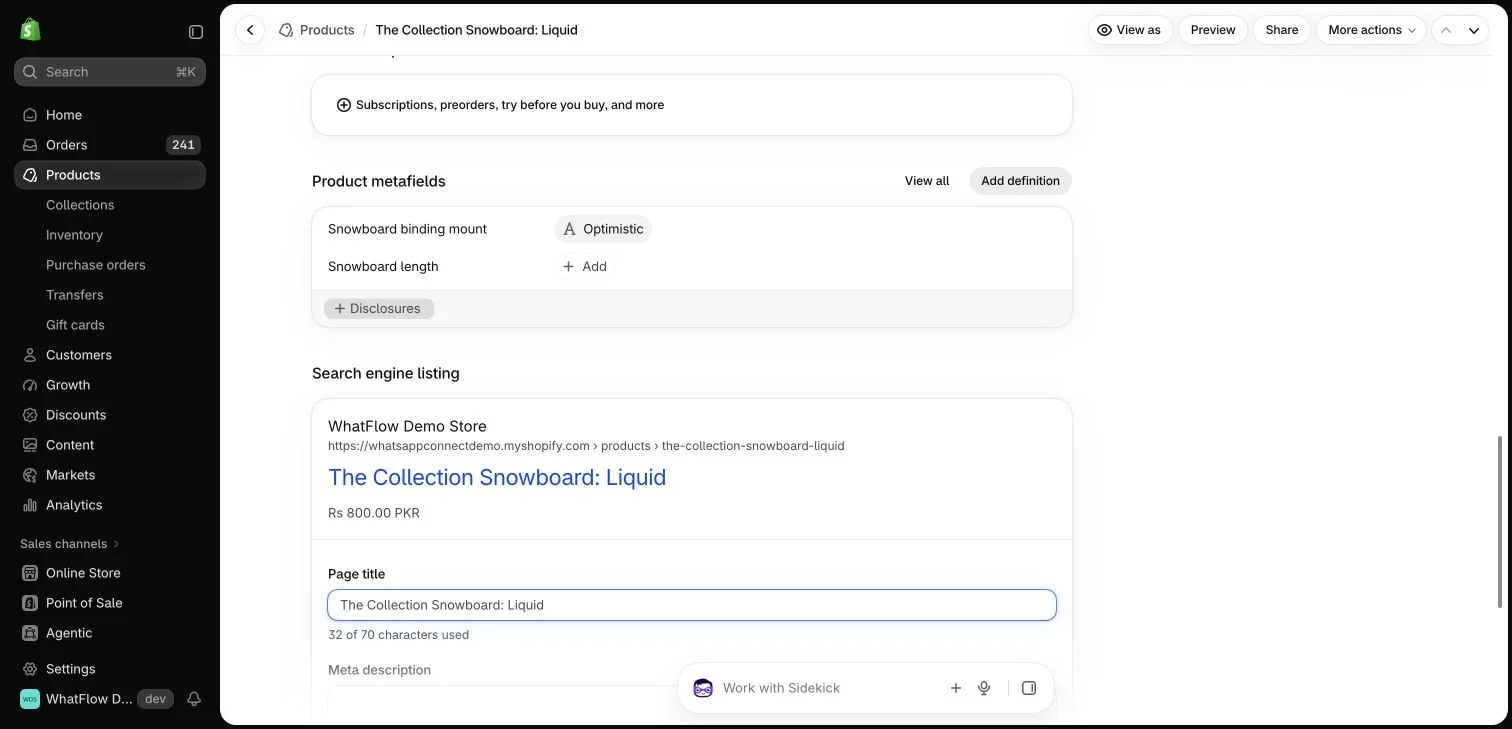
Shopify search-engine listing fields for a demo product. This editor preview does not demonstrate a Google ranking or rich result.
Start with the content shoppers can see
The page should accurately represent the product and its reviews. Check that the rating, count and written feedback refer to the correct item and source. Do not use a store-wide testimonial as though it were a verified review of a specific product.
Structured data is not an excuse to present a more flattering version of the page to a search engine. Keep the underlying product information and customer feedback consistent. A technically valid snippet cannot make invented or misleading review content credible.
Your theme and review app may each contribute product information. Identify the current owner of the relevant data before adding another implementation. Several competing snippets can make maintenance and diagnosis harder, even when each tool claims to support search features.
Consult the current documentation for the specific app and theme. Judge.me describes supported review widgets separately from its other product capabilities. A storefront widget being installed does not, by itself, establish that every search-related setting is configured correctly.
Treat eligibility as different from a guarantee
Google documents requirements for product snippets and related structured data. Meeting applicable requirements can make a page eligible for supported search enhancements; it does not guarantee that a particular enhancement will appear for every query or visitor.
Avoid promises such as “turn this on and Google will display stars tomorrow.” Search engines control presentation, and validation is only one part of the situation. Keep the discussion factual about what the store configured and what has actually been observed.
The Google product snippet structured data guidance explains the relevant requirements and eligibility; satisfying those requirements does not guarantee a search enhancement.
Validate the actual published page
Use the appropriate official validation tools and inspect the live URL rather than only a code example in an editor. Check representative products, including those with few reviews and those with variants. The data should remain accurate as ratings and product information change.
If a problem is reported, identify the responsible theme or app component before stacking another fix on top. A developer may need to review the implementation. Do not delete existing markup blindly merely because another guide recommends a different format.
Keep review collection quality separate from markup
Useful search presentation begins with a useful product page and legitimate feedback. A campaign sending customers to a review form can help collect experience, but the sending channel does not decide verification status or search eligibility.
WhatFlow can support an appropriate WhatsApp invitation and the customer conversation that follows. The review provider controls its submission and verification process, while the theme and relevant app configuration determine the page output. Keep those responsibilities clear when diagnosing a missing search enhancement.
Measure observations without overclaiming causation
Record what changed, when it was validated and which pages were affected. Use available search reporting to observe the result over an appropriate period. A change in clicks can also reflect query mix, seasonality or other page changes.
The useful outcome is accurate, maintainable product information that meets the relevant requirements. Search stars can be valuable when shown, but a merchant should never need to invent review evidence or guarantee a ranking result to explain why the page is worth improving.
Build a small markup ownership record
For a hypothetical store, choose three published products: one with reviews, one without reviews and one with several meaningful variants. For each URL, record the visible rating and count, the theme or app responsible for review output and the validation result. Keep a dated screenshot of the relevant page area. This gives a developer something concrete to compare when a reported count differs from what shoppers can see.
If the reviewed product displays one count while its markup reports another, investigate the source and update timing before installing a second snippet. If validation succeeds but search stars do not appear, record those as separate observations. Do not keep changing the page to chase a promised display date. After a legitimate fix, recheck the same sample and document what changed; search traffic still needs its own observation period and careful interpretation.
Before you put this into practice
Sample products with and without reviews.
Compare displayed ratings with published markup.
Record the responsible theme or app and validation date.
Explore WhatFlow Business API for WhatsApp messaging and a team inbox with no seat fees. Features are included across plans, including Free; message allowances and rates differ.
Safwan Adnan is co-founder and CEO of WhatFlow. This guide is published by WhatFlow and includes its product where relevant. Worked examples are illustrative unless a caption identifies an actual demo-store configuration; they are not merchant performance results.