Product reviews describe an item’s use, fit, materials or compatibility; store reviews describe the buying and service experience. Keep the destination, public label and reporting definition clear for each. A single customer can report both a good product and poor delivery, so route the underlying issues separately rather than treating one rating as the entire experience.
Key takeaways
Product and store reviews answer different shopper questions.
Preserve mixed feedback while separating internal action items.
Compare source, sample and period before interpreting ratings.
“The jacket fits well, but the parcel arrived late” contains two kinds of feedback. One helps someone choose a product. The other describes the shopping experience. Treating both as the same measurement can leave the product team investigating delivery problems and the support team missing a recurring sizing issue.
Product reviews and store reviews can work together, but they should have a clear purpose. Decide what each asks, where it is displayed and which person acts on the resulting feedback. That makes the public information more useful and the internal response less confused.
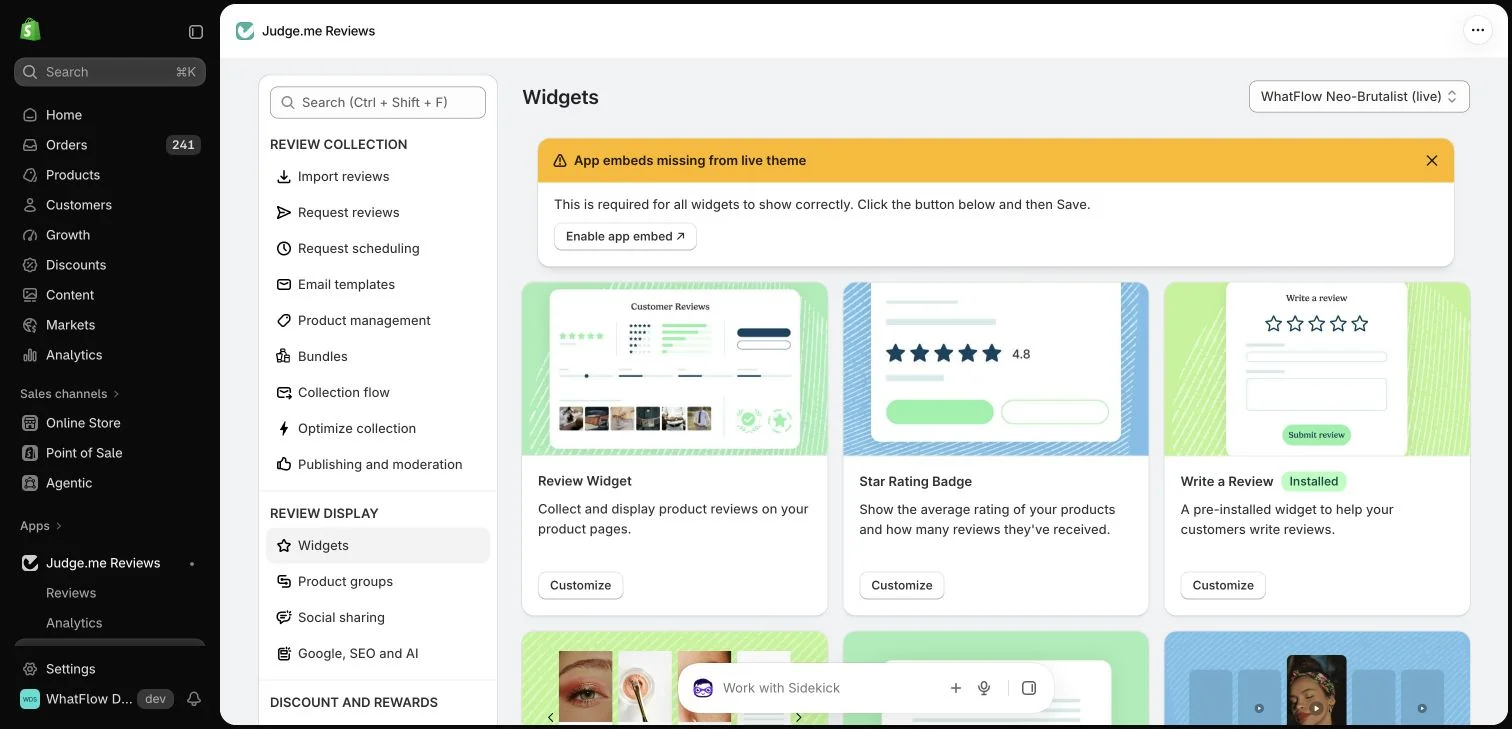
Judge.me widget configuration in the WhatFlow demo store. This setup view has no live theme embed enabled; ratings in the widget cards are interface examples.
Product feedback should stay close to the item
A product review is most helpful when it explains use, fit, materials, compatibility or another item-specific experience. The form and display should preserve the relationship to the correct product. A review of one version should not silently become evidence for a different product with substantially different characteristics.
When variants differ meaningfully, give shoppers enough context to interpret the review. A comment about a large backpack may not explain the small version’s capacity. Where your review provider supports grouping or variant information, configure it carefully rather than combining everything simply to increase the visible count.
Preserve variant review context where size or version changes how feedback should be interpreted.
Store-level feedback can cover communication, packaging, fulfillment and the experience of getting help. It helps a visitor understand what dealing with the business may be like. Those signals belong near appropriate store information as well as within the customer-service improvement process.
A buyer may have a good product experience and a poor support experience, or the reverse. Give them a clear route to describe either honestly. Do not force every concern into a product star rating just because that is the only widget currently installed.
Ask questions that fit the destination
For a product form, ask about the item and how it was used. For a store form, ask about the shopping experience. Avoid sending two nearly identical messages back-to-back without explaining the difference. The customer should not have to understand your review software to answer the right question.
A short sequence can invite product feedback first and offer store feedback where appropriate. Test the actual route on a phone and check what appears publicly. Review apps differ in the forms, widgets and cross-prompts they provide, so confirm the current behavior before describing it in a message.
Consult the Judge.me widget reference for supported widget types and storefront placements, then inspect what your configured page actually displays.
Route action items to the right owner
A report about a broken zipper may need product inspection. A complaint about repeated tracking questions may need clearer delivery communications. Assign feedback themes to an owner and keep the public review process separate from the private details needed to resolve an individual order.
WhatFlow’s inbox can help the team continue an appropriate WhatsApp support conversation. It should not be described as the system that stores or verifies all product reviews. Keeping those responsibilities clear makes it easier to connect the tools without promising capabilities the workflow does not have.
Do not combine product and store ratings into a single operational conclusion without understanding what the underlying reviews measure. A rise in service complaints after a carrier change does not necessarily mean the product quality declined. A product-specific issue can also disappear inside a large store-wide average.
Review counts, sources and date ranges alongside the average. Small samples can change quickly, and older feedback may concern a process you have already changed. Keep the context visible when sharing results with the team rather than announcing one number as the whole customer experience.
Display both kinds of proof honestly
Use product feedback where shoppers evaluate an item and store feedback where they assess the business. Check labels so the visitor can tell which is which. Do not describe a store-wide testimonial as a verified review of a particular product if that is not its source.
A good system makes two decisions easier: the shopper can understand the evidence, and the merchant can identify what to improve. More visible stars are useful only when the page explains what those stars actually represent.
Split the action without rewriting the customer’s review
Consider a fictional review: “The jacket fits as expected, but the delivery updates were confusing.” Keep the customer’s submission intact in the provider’s supported process. Internally, record two themes: fit information was useful, and delivery communication needs investigation. The first may reinforce an accurate size guide; the second belongs with the person responsible for fulfillment updates. Neither theme requires changing the reviewer’s rating.
For reporting, keep the source form, product association and date range beside each count. If a new carrier causes more delivery complaints, review that service theme without announcing that jacket quality declined. If several products receive fit complaints, inspect the relevant product details rather than hiding them inside a store-wide average. WhatFlow can help the team continue an appropriate support conversation, while your review provider keeps responsibility for the public feedback record.
Explore WhatFlow Business API for WhatsApp messaging and a team inbox with no seat fees. Features are included across plans, including Free; message allowances and rates differ.
Safwan Adnan is co-founder and CEO of WhatFlow. This guide is published by WhatFlow and includes its product where relevant. Worked examples are illustrative unless a caption identifies an actual demo-store configuration; they are not merchant performance results.
They answer different questions. Store feedback describes the shopping experience; product feedback should help buyers evaluate the specific item.
Should all variants share one review count?
Use your provider’s supported grouping carefully and preserve useful context. Do not merge materially different products in a way that misleads shoppers.