Send a product review request after the customer has a reasonable opportunity to receive and use the item. Start from reliable delivery information where available, then choose a delay suited to the product’s learning or usage cycle. Compare similar orders and monitor premature-request replies; there is no single delay that fits every Shopify catalog.
Key takeaways
Fulfillment and delivery are different scheduling events.
Group products by how long a meaningful experience takes.
Treat “not used it yet” replies as timing feedback.
“Send the request three days later” sounds like a complete strategy until you sell two very different products. A buyer can comment on a tote bag almost immediately. A garden kit may need assembly, weather and a weekend before the customer knows whether it was useful. Timing should reflect that experience.
The right question is when a buyer has enough information to give a helpful answer. Your first schedule is a hypothesis. Build it from the delivery experience and expected product use, then revise it using customer responses rather than a borrowed universal conversion figure.
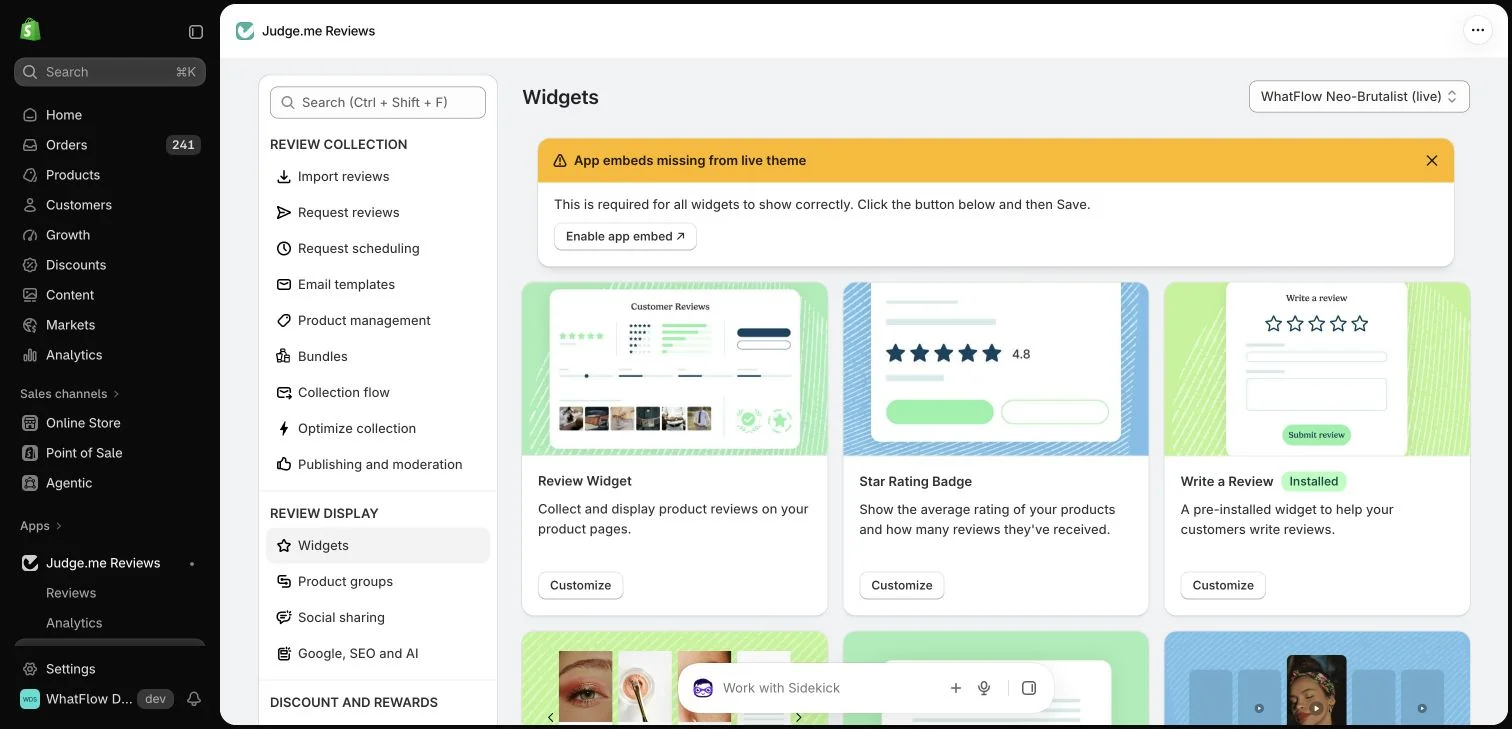
Judge.me widget configuration in the WhatFlow demo store. This setup view has no live theme embed enabled; ratings in the widget cards are interface examples.
Separate order date, fulfillment and delivery
An order date tells you when the purchase was recorded. Fulfillment tells you about the store’s shipping process. Delivery, when available and reliable, is closer to the buyer actually having the product. Those timestamps serve different purposes and should not be treated as interchangeable.
Write down which event your current reminder uses. If a workflow starts from fulfillment but the message says “now that your order has arrived,” the wording may get ahead of reality. Fix that mismatch before testing a new delay or a more enthusiastic subject line.
Create a few practical groups rather than a custom schedule for every SKU. An immediately usable accessory, a product requiring setup and a consumable that needs repeated use can each have a different starting delay. Keep the grouping simple enough that the team can maintain it.
Gift purchases deserve additional thought. The purchaser may not be the person using the item, and an early request can arrive before the occasion. Offer a polite invitation that allows the customer to answer later rather than assuming every buyer has already tested the product personally.
A return, replacement or open delivery problem can make a routine request feel careless. Where supported data is available, define how your process handles those situations. Do not promise that an app will suppress every exception unless the conditions are actually configured and tested.
The customer must still be able to leave honest feedback. Handling an unresolved support issue is different from selectively asking only satisfied buyers to post publicly. Keep your collection policy neutral and provide an accessible review route regardless of whether the experience was positive.
Test a single timing change
Choose comparable orders and change one delay at a time. Record how many orders were eligible, how many invitations reached the intended recipients and how many useful reviews followed. Also record replies saying that the parcel has not arrived or that the buyer has not used the item yet.
Those replies can be more informative than a small movement in submission rate. They tell you whether the schedule fits the real customer journey. Avoid declaring a winner after only a few orders, especially when one group contains products with a different price or delivery method.
If your review app sends email and another workflow sends WhatsApp, decide whether they form one planned sequence or duplicate each other. The buyer experiences the combined contact volume. Different dashboards do not make repeated requests feel like different conversations.
WhatFlow can provide the WhatsApp conversation and inbox side of the process. Use an eligible approved template when the invitation is outside the active customer-service window, and respect the customer’s messaging preferences. The review app controls its form, scheduling capabilities and verification rules.
Review the schedule as the business changes
Revisit timing when shipping routes, product categories or customer expectations change. A schedule that worked for locally stocked items can become unsuitable after adding preorders. Keep a short note explaining the chosen event and delay so a new colleague can understand the reasoning.
Start with a schedule that feels reasonable from the customer’s side, measure the whole sequence and improve the part that causes confusion. More requests are useful only when the recipient has something meaningful to say and an easy way to say it.
Create a product-use timing table
Hypothetical example: group a catalog into a ready-to-use tote and a self-assembly shelf. Begin a timing test from a supported delivery signal and allow the shelf more time because assembly must happen first. Record the chosen delay, the reason for it and how the workflow handles a missing delivery event. These are test choices, not recommended universal waiting periods.
When reviewing results, separate product groups and keep the reporting window consistent. Count eligible orders, invitations, submissions and replies saying the request arrived too soon. If the shelf group needs more time, adjust that group rather than delaying every request. Keep email and WhatsApp invitations on the same schedule so a timing experiment does not accidentally become a frequency experiment.
Before you put this into practice
Name the actual event starting the timer.
Document the usage reason for each product group’s delay.
Review early-request replies before adding reminders.
Explore WhatFlow Business API for WhatsApp messaging and a team inbox with no seat fees. Features are included across plans, including Free; message allowances and rates differ.
Safwan Adnan is co-founder and CEO of WhatFlow. This guide is published by WhatFlow and includes its product where relevant. Worked examples are illustrative unless a caption identifies an actual demo-store configuration; they are not merchant performance results.
No single delay fits every delivery process and product. Start from the customer’s opportunity to use the item and test a consistent schedule.
Should a delayed shipment receive the normal request?
Review the operational exception and your message wording. Avoid claiming delivery when your data does not establish it, while preserving the customer’s ability to leave honest feedback.