A packaging QR review request should tell the buyer what scanning does and open a maintained, mobile-friendly destination. Choose a product review form or clearly labelled help-and-feedback page, test the actual printed code and preserve a support route. Count scans, form visits and submitted reviews separately; scanning a parcel insert does not itself establish review verification.
Key takeaways
Explain the scan’s destination beside the printed code.
Test real packaging without a merchant login.
Keep scans, submissions and verified reviews separate.
A QR code on packaging can make it easier for a customer to find the next step after opening an order. It can also become a confusing shortcut if the buyer does not know whether it opens instructions, support or a public review form. Explain the purpose beside the code.
Start with one destination and one customer task. A package insert should not require the buyer to understand your app stack. The scan should lead to a page or form that matches the printed promise and works on an ordinary phone.
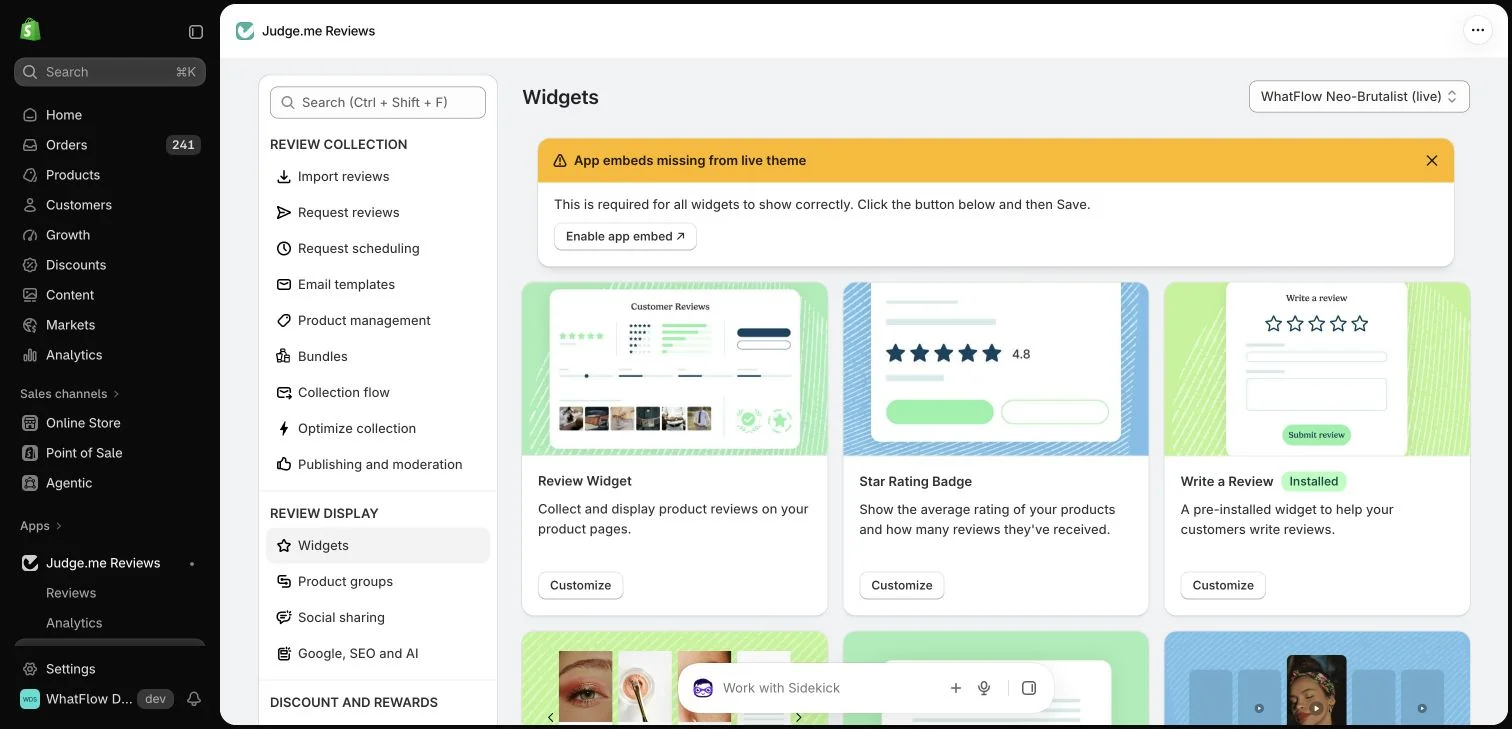
Judge.me widget configuration in the WhatFlow demo store. This setup view has no live theme embed enabled; ratings in the widget cards are interface examples.
Decide what the scan is asking the buyer to do
Choose whether the code opens product help, a review form or a clearly labelled page offering those routes. Do not label a support destination as an instant review submission. The buyer should understand whether they are starting a private conversation or publishing feedback.
If the package contains several products, check whether the destination can identify the relevant item. A generic store-level review route is different from a product-specific form. Keep that difference clear in the wording so the resulting feedback reaches the appropriate place.
Use a destination you can maintain
A printed insert can remain in circulation after the website or review app changes. Consider a store-controlled landing page when that fits the experience, and keep its route stable. Avoid adding an unnecessary intermediary if the direct review form is already the clearest destination.
Record where the code appears and who owns the destination. A packaging change should include a link check, not only a new visual design. When migrating tools, test existing printed material before assuming that an old link continues to work.
Check printed routes as part of your review app migration plan because inserts can outlast the installed app.
Ask for honest feedback neutrally
A simple prompt can invite the customer to share what worked and what could be improved. Do not ask only satisfied customers to use the public review route while diverting everyone else away from it. Support should be available without becoming a barrier to honest criticism.
Review verification remains the provider’s decision. A QR scan does not prove a purchase merely because the code was printed in a parcel. Check the current requirements of the review system and avoid labelling every resulting submission as a verified product review.
Check Judge.me verified-review requirements before describing a submission as verified; a scan or messaging link does not establish that status by itself.
Test the whole phone journey
Scan the actual printed size under ordinary lighting. Check whether the destination loads, the text is readable and the relevant form can be completed. A code that works on a large design preview may be difficult to scan on curved or reflective packaging.
Try the journey without being signed into a staff account. A link that opens correctly for the merchant can still require an unintended login or lead a buyer to an administrative page. Keep test submissions controlled and distinguish them from real public customer feedback.
Keep support reachable after the scan
Some customers scan because they need help rather than because they are ready to review. Provide a clearly labelled support route where appropriate and make sure the team monitors it. Do not imply that a private message will automatically appear as a public review.
WhatFlow can support a WhatsApp conversation through an appropriate store entry point and the team inbox. That complements the review provider’s form and verification process. The message, form and public review are separate stages that need understandable labels.
Measure use without overstating the result
A dedicated destination can help distinguish visits from this insert when your analytics setup supports it. Form submissions and verified reviews are different measures. Do not equate every scan with a completed review or a future purchase.
Use the information to improve the journey: a clearer printed instruction, a more relevant destination or a simpler mobile form. The best QR code removes a small obstacle for the buyer and remains useful after the current campaign is over.
Test an insert before committing to the print run
For a fictional two-product order, print one insert at the intended size and scan it without a staff login. If the destination is a generic landing page, check that the buyer can choose the correct product without understanding your catalog codes. If the code opens one product’s form directly, confirm that it will not be packed with an unrelated item. The printed promise and fulfillment process need to agree.
Keep a record of the destination, packaging version, print date and person responsible for maintaining the route. When changing review providers, scan an old insert as well as the new artwork. If your analytics supports a dedicated route, report visits separately from completed submissions and verified reviews. A customer who opens support through WhatFlow has started a private conversation, not necessarily left public feedback; keep those outcomes distinct when reviewing the insert’s usefulness.
Before you put this into practice
Scan the intended print size in ordinary lighting.
Explore WhatFlow Business API for WhatsApp messaging and a team inbox with no seat fees. Features are included across plans, including Free; message allowances and rates differ.
Safwan Adnan is co-founder and CEO of WhatFlow. This guide is published by WhatFlow and includes its product where relevant. Worked examples are illustrative unless a caption identifies an actual demo-store configuration; they are not merchant performance results.