Build multilingual Shopify messaging by choosing a supported language preference, reviewing the message’s meaning and checking the destination and reply process in that language. Verify units, offer conditions and template settings separately. Use a clear fallback when language data is missing, and update every affected translation when the source policy or product information changes.
Key takeaways
A shipping country does not establish preferred language.
Review message, destination and support readiness together.
Maintain translation ownership when the source information changes.
Translating a greeting is the easy part of multilingual messaging. The harder part is making sure the customer receives the right link, understands the same offer conditions and can get help in a language the team can actually support. A translated message should lead to a coherent experience.
Start with one language and one customer journey. Check the message, destination and support process together before expanding the sequence. A large set of translated drafts can hide basic mismatches between the copy and the store’s actual capabilities.
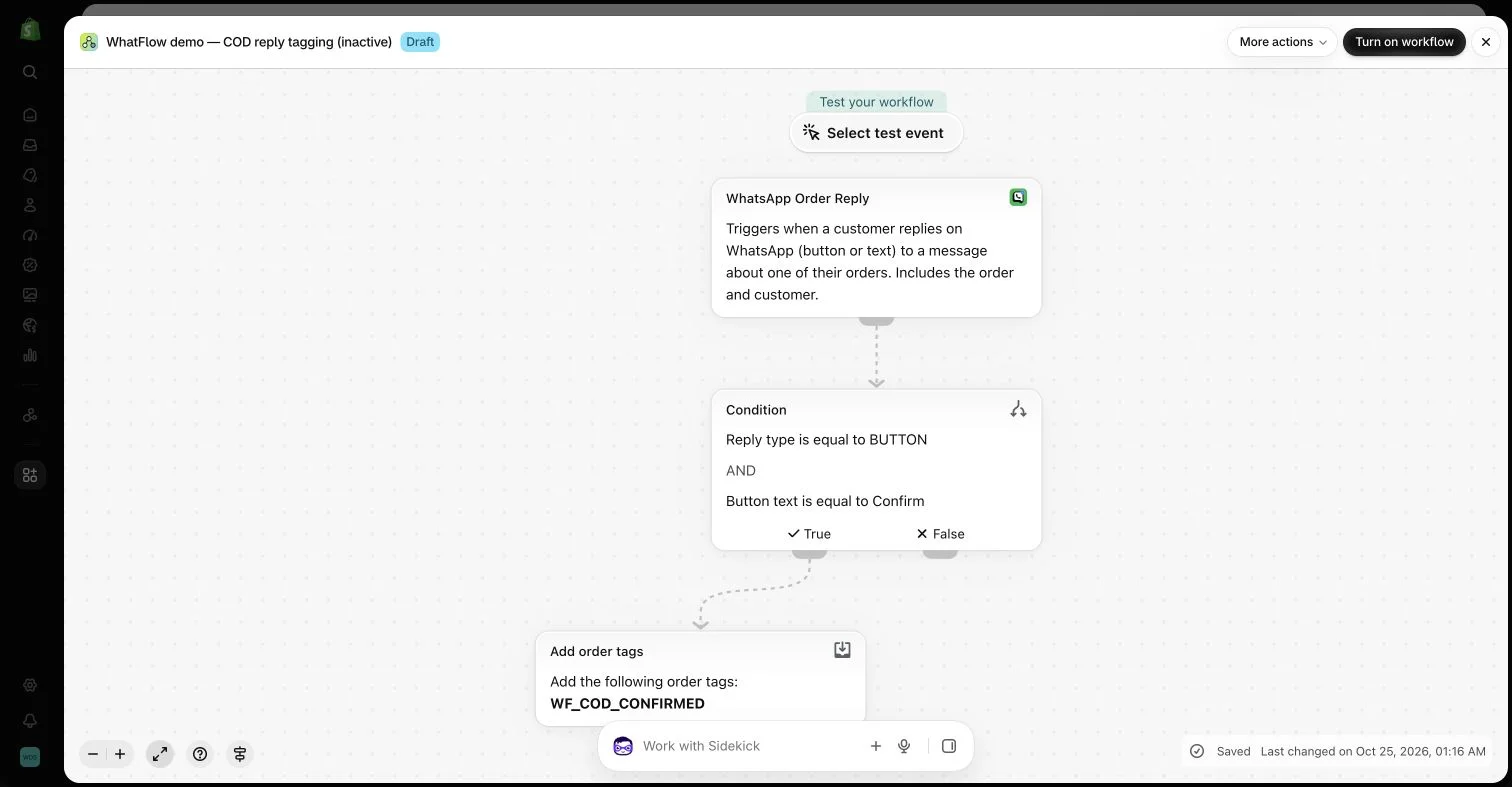
An inactive workflow in the WhatFlow demo store illustrates order-reply configuration. No customer messages or order changes were made.
Decide how the language is chosen
Use a supported customer or store preference where available and understand its limits. A shipping destination does not prove a person’s preferred language. Avoid guessing from a name, and provide a practical fallback when the relevant field is missing.
Keep the rule understandable to the team. If different apps choose language from different sources, the same customer may receive a mixed sequence. Document the source used by each message and the cases that require manual review.
Review meaning, not just translated words
Check product terms, units, dates, currency and the conditions that affect the next step. An apparently fluent sentence can still change the offer or promise a service the store does not provide. Have an appropriately competent reviewer check important customer-facing copy.
Avoid translating product identifiers or template names that the system expects to match exactly. The display language and the internal reference can have different roles. A readable phrase should not replace a required configured value in a message action.
Follow every link in the intended language context. A translated invitation opening a form in another language creates another task for the buyer. Confirm that the product, policy and relevant instructions remain accurate at the destination.
Review-app localization and WhatsApp template language are separate settings. Do not assume that translating a review widget also creates the correct approved message in the sending account. Check the capabilities and configuration of each tool involved.
A customer may answer the message with a detailed question. Decide who can handle it and when translation assistance is appropriate. Do not present machine-generated wording as a specialist answer to a question the team has not understood.
WhatFlow’s team inbox can keep the conversation accessible while the right colleague helps. Its lack of inbox seat fees can make involving that person simpler. The operational responsibility remains with the store, including the accuracy of the final answer.
Include language handoffs in the inbox ownership process so translated replies have an owner.
Test edge cases with controlled examples
Use long product names, missing personal fields and different date formats where relevant. Check buttons and links on a phone. A layout that works in one language can become difficult to read when the translated text is longer.
For WhatsApp, use the appropriate approved template and recipient permissions. Language choice does not change the customer-service window or other channel requirements. Test the actual configured format rather than only reviewing a separate translation document.
When a policy, promotion or product detail changes, update each affected language. Record the owner and review status so an old translation does not continue making an obsolete promise. Keep saved support answers aligned with the public information.
A useful multilingual program makes the same practical decision clear to more customers. It should expand understanding without pretending the store has unlimited language coverage or that every connected app shares the same translation settings automatically.
Trace one translated journey from preference to reply
Hypothetical example: a store offers English and French support. A review invitation uses a recorded French preference, an eligible French WhatsApp template and the provider’s supported French form destination. Check all three settings separately rather than assuming one translated widget controls the entire route. Where the preference is absent, follow the documented fallback instead of guessing from the customer’s name.
Test a long product name, a missing personal field and a date near a month boundary so units and formatting receive proper review. Ask the designated colleague to handle a sample product question in the same language. WhatFlow Business API’s shared inbox can keep that conversation accessible without seat fees, but the store should describe its actual language coverage and response expectations honestly.
Before you put this into practice
Document the language source and missing-data fallback.
Review the actual template, form destination and offer conditions.
Assign an owner for each translation and reply language.
Explore WhatFlow Business API for WhatsApp messaging and a team inbox with no seat fees. Features are included across plans, including Free; message allowances and rates differ.
Safwan Adnan is co-founder and CEO of WhatFlow. This guide is published by WhatFlow and includes its product where relevant. Worked examples are illustrative unless a caption identifies an actual demo-store configuration; they are not merchant performance results.
Can I choose a customer’s language from their country alone?
A country can be an imperfect proxy. Prefer supported preference data where available and define a clear fallback rather than assuming every resident uses one language.
Does a translated review widget configure WhatsApp template language?
No. Check the review provider’s localization and the messaging account’s template setup separately.