Migrate Shopify reviews by preserving supported exports, matching products deliberately and checking how the destination handles sources, verification, media and merchant replies. Validate representative records on the storefront before completing the switch. Update message and printed destinations, and reconcile feedback collected during the transition so an accepted row count does not conceal incorrect associations or missing context.
Key takeaways
Preserve review meaning alongside the export count.
Check product and variant associations on the destination storefront.
Update invitation links and reconcile cutover-period submissions.
Moving reviews is more than transferring a spreadsheet. A review has a product association, a source, a date and sometimes a verification status or media reference. The new provider may interpret those fields differently. Plan the migration around preserving meaning, not merely matching a total count.
Begin with a supported export and a recovery plan. Keep the old configuration available until the replacement has been checked. Avoid deleting the previous setup just because the first import screen reports that some rows were accepted.
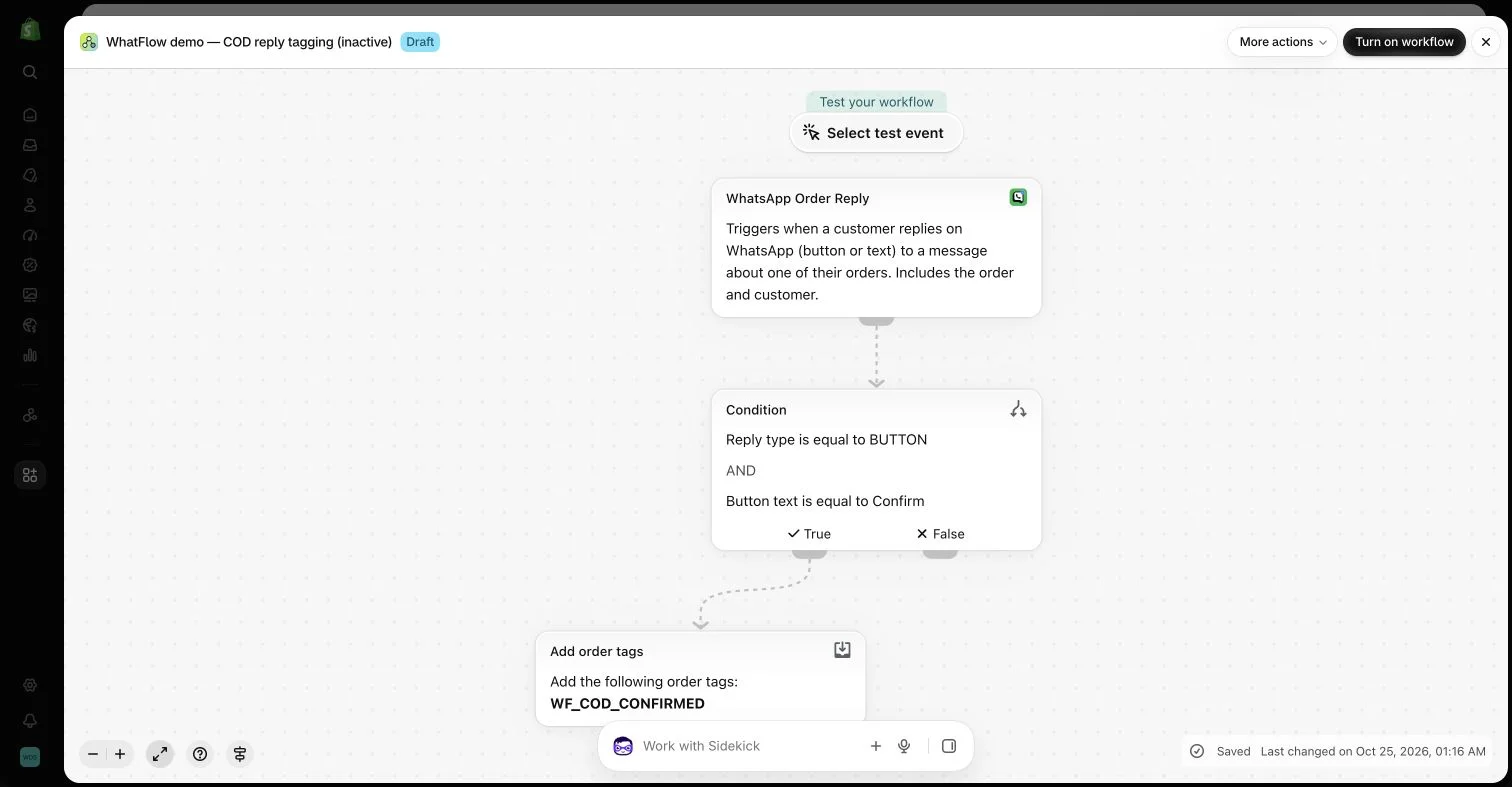
An inactive workflow in the WhatFlow demo store illustrates order-reply configuration. No customer messages or order changes were made.
Inventory the data you actually have
List product reviews, store reviews, media, merchant replies and relevant metadata. Confirm what the current provider can export through its normal tools. Do not assume every visible feature has an equivalent portable field or that an export includes every attachment permanently.
Keep a protected copy of the supported export and record when it was created. Review whether the file contains private contact details and limit access appropriately. A migration worksheet should not become a broadly shared customer database.
Match products deliberately
Decide how the destination identifies the correct item. Handles, IDs and variant references can change across stores or migrations. A row importing successfully does not prove that it appears beside the intended product on the storefront.
Test representative examples, including deleted products, variants and items with similar names. Do not merge materially different products simply to preserve a larger visible count. If a review cannot be matched reliably, keep it for investigation rather than guessing the destination.
An imported review is not automatically a verified purchase review in the new system. The destination provider applies its own requirements. Keep original source information where supported and do not relabel the evidence to make the imported set look more authoritative.
Judge.me’s verification documentation describes several different sources and qualifying conditions. Consult the current destination policy for your actual migration. A generic promise that all imported reviews keep every badge can be misleading.
Open imported photos and videos and confirm that the references remain accessible through the supported process. A temporary URL is not a permanent archive. Check that any retained merchant reply still belongs to the correct review and has not become detached from its context.
Review permissions for the intended continued use of customer material. A technical migration does not create broader marketing rights. Keep private support attachments distinct from public review media rather than using one folder to fill missing assets in the other.
Test the storefront before switching fully
Check rating counts, written feedback, filters and the mobile experience on representative products. Inspect relevant structured data through the appropriate tools and identify which theme or app component owns it. Avoid leaving several competing widgets in place without understanding the effect.
Review existing review-request messages and printed links. WhatFlow may send customers to a form supplied by the review provider; those destinations need updating when the provider changes. Messaging and review storage are separate responsibilities even when the customer journey connects them.
Choose a practical cutover point, document what changed and monitor early submissions. Keep a way to identify feedback collected during the transition so it is not omitted or duplicated. Decide when the previous tool can be retired only after the relevant checks pass.
The useful outcome is a coherent customer feedback history displayed accurately in the new system. Counts matter, but correct associations, source labels and working links matter just as much. A careful migration avoids turning a valuable review archive into a collection of unexplained stars.
Reconcile a small sample before switching providers
Hypothetical example: a migration file contains a current product review, an older variant review, one photo review and a store-level review. Build a sample ledger with the original record, destination record, product association, date, source label and media result. Check each independently; the same total count can conceal a review attached to the wrong item or a photo that no longer opens.
Set a cutover point and record submissions that arrive in either tool around that time. Update the supported review destinations used by WhatFlow Business API invitations and any printed QR routes before retiring the previous collection path. Keep the original supported export protected while discrepancies are investigated. Verification badges should follow the destination provider’s criteria rather than a desire to keep the old page looking unchanged.
Before you put this into practice
Check current, old-variant, media and store-review examples.
Compare source labels and working media after import.
Reconcile transition submissions and update customer-facing destinations.
Explore WhatFlow Business API for WhatsApp messaging and a team inbox with no seat fees. Features are included across plans, including Free; message allowances and rates differ.
Safwan Adnan is co-founder and CEO of WhatFlow. This guide is published by WhatFlow and includes its product where relevant. Worked examples are illustrative unless a caption identifies an actual demo-store configuration; they are not merchant performance results.