A trustworthy Shopify product page explains the product, shows relevant authentic feedback, summarizes delivery and returns accurately and gives shoppers a dependable help route. Check those elements together on a phone, including variant selection and the cart drawer. Prioritize missing decision information over decorative reassurance, then review customer questions and purchase outcomes after one focused improvement.
Key takeaways
Clear product facts come before badges and reassurance.
Relevant reviews need honest product and source labels.
Test help, reviews and purchase controls together on mobile.
A shopper can like a product and still hesitate because one practical question remains unanswered. They may not know whether it fits, when it will arrive or who will help if something goes wrong. A trust-focused product page makes those decisions easier without covering the screen in badges.
Review the page as if you had never seen the store before. Use a phone, arrive from a product link and ask what you can establish without opening several menus. The aim is an understandable purchase decision, not a claim that every visual change will increase sales.
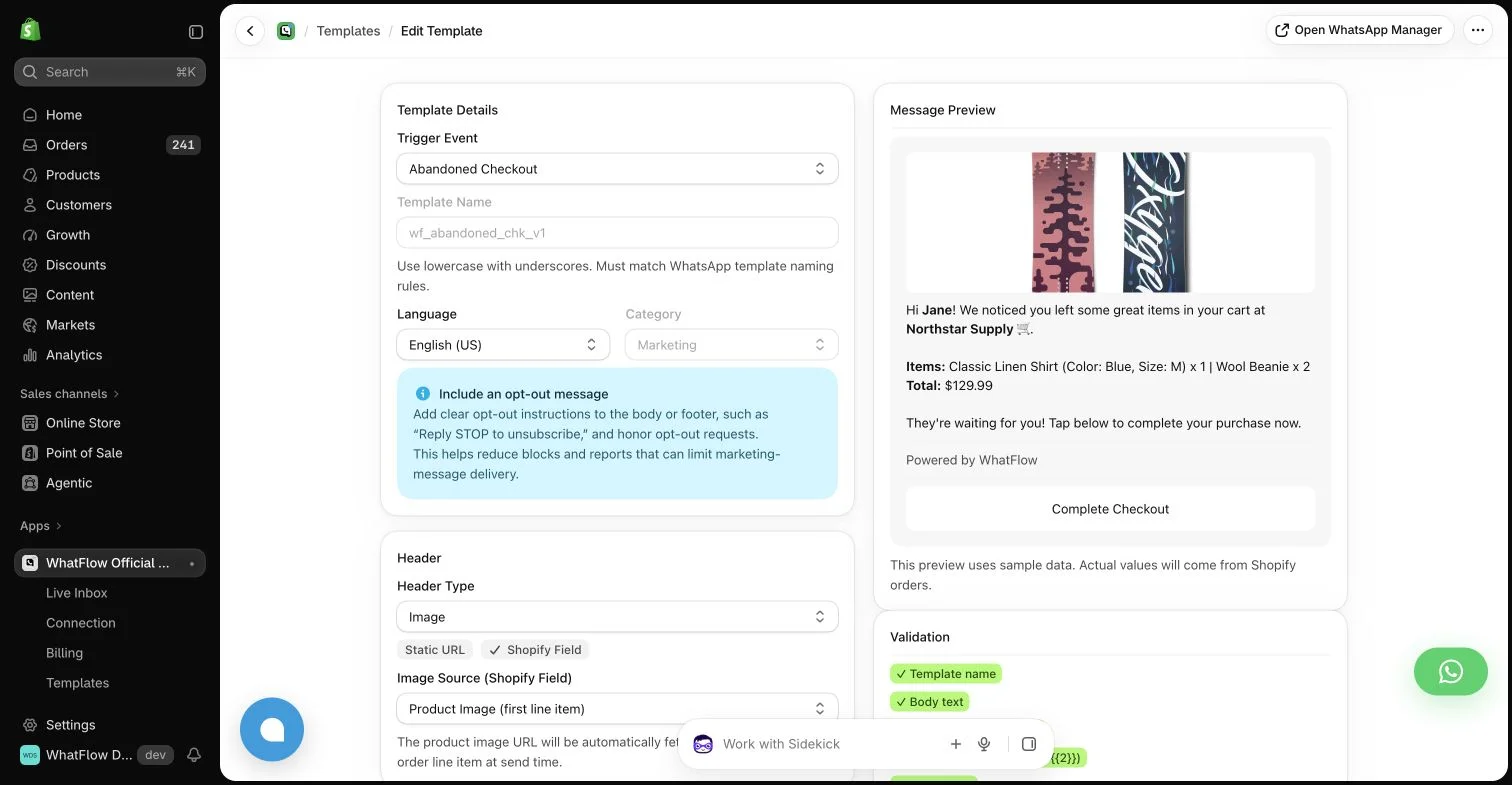
WhatFlow template editor in the demo store. Sample message data illustrates configuration, not a completed send or measured campaign outcome.
Make the product understandable before the proof
Show what the buyer receives, important dimensions, materials and any compatibility limits. Explain meaningful differences between variants. If the photographs include accessories that are not part of the purchase, say so near the relevant image rather than leaving the clarification in a distant policy page.
A review cannot compensate for an unclear specification. If support repeatedly answers the same product question, add the answer where that decision occurs. A short fit note beside the variant selector may be more useful than another broad testimonial at the bottom of the page.
Put recurring suitability questions into useful product FAQs close to the specification they clarify.
Place relevant customer feedback near the decision
Use authentic product feedback that helps the visitor understand the item. Preserve the relationship between the review and its product, variant and source. Store-level service testimonials can add context, but should not be labelled as reviews of a particular item if they are not.
Check the review widget on mobile. The count, average and written feedback should remain understandable, and the shopper should be able to find details beyond the most flattering quotation. Avoid a presentation that creates the impression of independent evidence where the content is actually a merchant-written endorsement.
Explain delivery and returns in useful terms
Provide the information available to your store about processing, shipping destinations and expected timing. Distinguish an estimate from a guarantee. A customer comparing two sizes may also need a clear route to the return policy before deciding, rather than only after completing the order.
Do not compress important conditions into a badge saying “easy returns” if the policy contains restrictions the buyer needs to understand. Link to the full policy and summarize the relevant practical point accurately. When the policy changes, update the product-page summary at the same time.
Consult the Judge.me widget reference for supported widget types and storefront placements, then inspect what your configured page actually displays.
Make pre-purchase help easy to find
A discreet WhatsApp button can help a shopper ask the last question that the page does not answer. The button should fit the theme and leave price, variants and the main purchase action accessible. Test that it opens the correct conversation on both mobile and desktop.
WhatFlow offers Shopify-oriented WhatsApp features, including theme-fitting buttons and a team inbox. Make a realistic promise about response availability. A visible chat entry point does not mean someone is available immediately at every hour, and an automated greeting should not pretend to be a human reply.
Remove friction introduced by the trust tools
Several floating widgets can cover the same corner of the phone screen. A review popup, discount prompt and messaging button may each seem reasonable alone but become intrusive together. Test the combined experience, including an open cart drawer and the on-screen keyboard.
Keep one clear primary purchase action. Support and review information should help the shopper choose, not compete with it. If a badge is decorative rather than evidence of an actual certification or service, do not present it as an independent endorsement.
Watch the support questions arriving from the page and compare them with completed purchases, returns and abandonment using the data your tools actually provide. An increase in chat conversations can mean better engagement or more confusion; the message content helps distinguish the two.
Choose one improvement at a time, document the change and review a meaningful period. A trustworthy product page is an ongoing information system. Its strongest evidence is that buyers understand what they are ordering and know how to get help when the information is not enough.
Test the page with an unfamiliar buyer’s task
For a hypothetical storage bag, ask a colleague to choose the version that holds a particular set of items. Without coaching, have them identify dimensions, included accessories, the relevant review source and any delivery condition that changes the decision. Ask what they still need to know, rather than whether they like the design. Record the first unresolved question and where it occurs on the page.
If the uncertainty concerns capacity, improve the size explanation near the variant choice before adding another badge. If the specification is clear but an unusual use case remains, check that the WhatFlow help entry point is visible and the team can answer it. Open the cart and keyboard on a phone to inspect competing widgets. Keep a dated record of the one change and review similar questions afterward; additional conversations alone do not establish stronger trust or increased sales.
Explore WhatFlow Business API for WhatsApp messaging and a team inbox with no seat fees. Features are included across plans, including Free; message allowances and rates differ.
Safwan Adnan is co-founder and CEO of WhatFlow. This guide is published by WhatFlow and includes its product where relevant. Worked examples are illustrative unless a caption identifies an actual demo-store configuration; they are not merchant performance results.
Use one when the team can provide useful help and the placement fits the buying experience. Check that it does not obscure variants, price or checkout controls.
Can trust badges replace clear policies?
No. A badge should support accurate information, not hide important delivery, return or product conditions.