A dependable WhatsApp opt-out process recognizes the customer’s preference, records it through supported tools and checks that relevant future campaigns exclude them. Handle broader natural-language requests as well as configured keywords. WhatFlow’s recognized opt-out event can support compatible Flow steps, but other sending systems and scheduled jobs need their own verified connections and operational ownership.
Key takeaways
Respect the request even when wording differs from a keyword.
Verify later suppression as well as initial recognition.
Document which connected systems need separate updates.
A customer asking to stop promotional messages should not have to understand which app sent the campaign. From their perspective, the request is directed to the store. A clear opt-out process makes that preference understandable to both the sending system and the people handling replies.
Start by documenting what each connected tool records and what the team should do when the customer’s request is broader than a recognized keyword. The purpose is a dependable preference-handling process, not a clever way to move the same campaign to another channel.
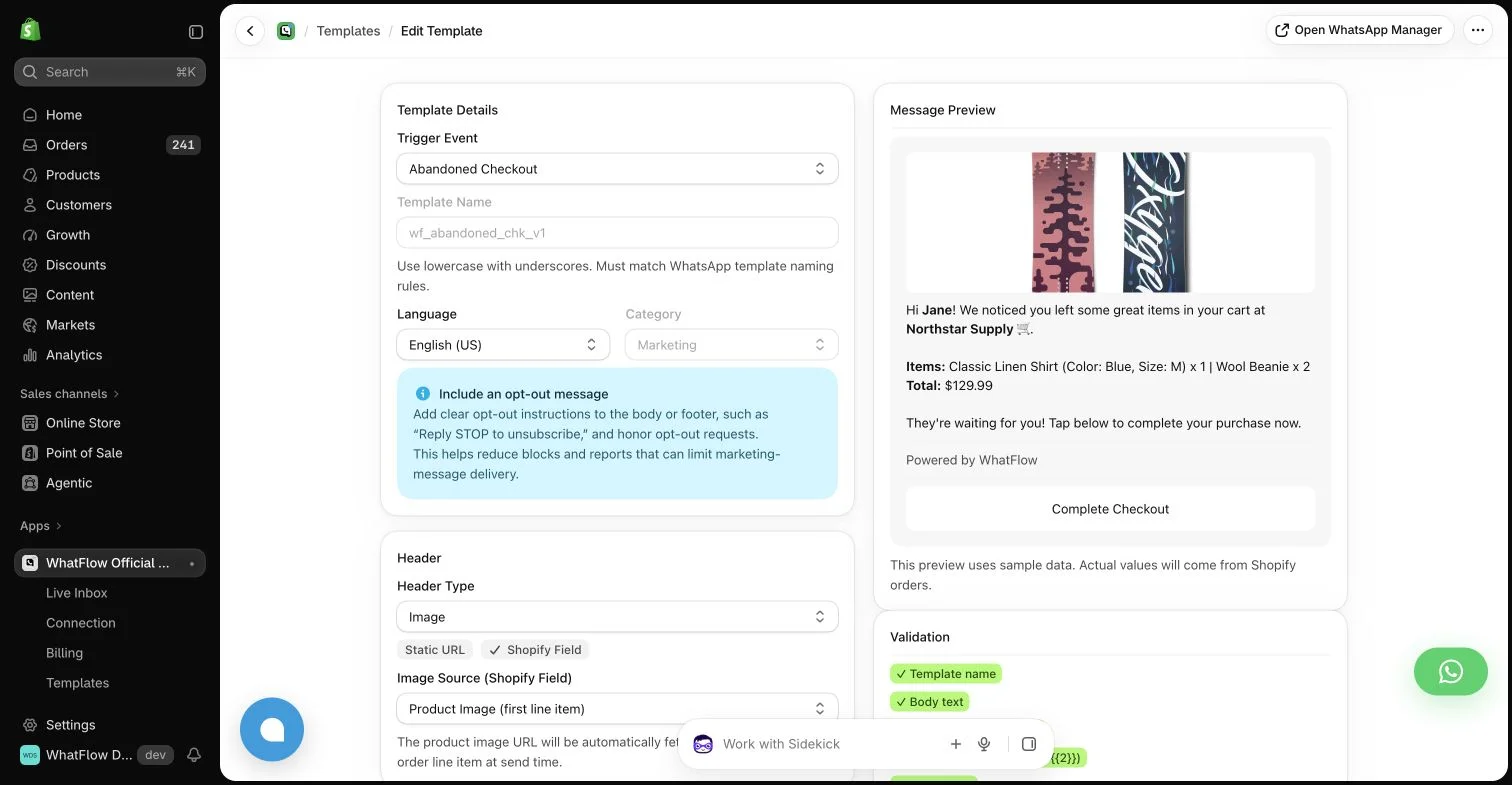
WhatFlow template editor in the demo store. Sample message data illustrates configuration, not a completed send or measured campaign outcome.
Explain the available choice clearly
Use wording appropriate to the actual channel and process. A customer should understand how to stop the relevant messages without needing to search a help center. Avoid burying the choice in an unrelated link or promising a global preference change that the system does not implement.
Keep the language in the campaign aligned with the backend behavior. If an instruction says to reply STOP, verify that the current configuration recognizes and applies it as intended. A sentence in the copy does not by itself prove the sending audience will be updated.
Distinguish automated signals from broader requests
A recognized keyword can create a clear event. A customer saying “please do not contact me about offers again” may need a human to interpret and apply the request through the supported process. Train the team to recognize that preference even when the wording differs from the standard keyword.
Do not require the customer to repeat the request in a more convenient format if the team already understands it. Record the appropriate preference accurately and follow the store’s process for connected tools. Keep the original conversation in the controlled support system rather than spreading it across public logs.
Use WhatFlow’s event for a real operational purpose
WhatFlow Business API includes a WhatsApp Customer Opted Out Flow trigger for recognized opt-out activity added to its blocklist. That can support compatible downstream processes when the necessary tasks and data exist. It is not a reason to send another promotional message acknowledging the new marketing opportunity.
Check the current behavior in your actual account before describing the automation as complete. A trigger occurring in one app does not automatically update every other marketing platform. Define the connections and ownership required for the preference to affect the intended future audiences.
Use the WhatsApp Business messaging policy to check applicable messaging permission and channel requirements; a relevant message still needs the appropriate sending process.
Coordinate preferences across channels carefully
An email unsubscribe, an SMS preference and a WhatsApp opt-out may be stored in different systems. Know what each represents and how the store handles a broader request. Do not assume that one field accurately expresses every possible customer choice without checking the connected process.
Avoid shifting the same unwanted promotion to a different channel simply because it remains technically sendable there. The customer’s stated preference and applicable requirements should guide the decision. When the request is unclear, use the established support process to clarify it without adding pressure.
Test suppression, not just recognition
A useful controlled test checks that the opt-out signal is recorded and that the relevant later campaign excludes the recipient. Merely seeing the word in a conversation does not establish that a scheduled audience or an independent app will respect it.
Include duplicate events, delayed campaign jobs and a customer already present in several segments. Document what the tools handle automatically and what still needs staff action. A realistic process is stronger than a broad promise that the integration synchronizes every preference instantly.
If someone receives an unwanted message after opting out, investigate the audience source, timing and connected preference state. Explain the actual correction without inventing a technical excuse. Review whether another system still holds an active campaign for the same person.
WhatFlow’s inbox can keep the conversation accessible to colleagues without inbox seat fees on Business API plans. The store still owns the operational follow-through. A successful opt-out process is one the customer does not have to keep asking the business to apply.
Test the next send after the opt-out
Use an authorized controlled recipient already included in a test campaign. Submit the supported opt-out signal, confirm the resulting preference state and inspect whether the next relevant send excludes that record. Then test a broader written request through the human support procedure. Seeing a keyword in the inbox or a Flow event in a run log is only part of the check; the later audience behavior matters.
Include a delayed job and an overlapping audience if your setup uses them. Record when the preference changes, which system owns the campaign and whether anything needs staff action before a queued send. If another app still holds an eligible audience, assign the correction rather than claiming automatic global synchronization. WhatFlow can provide the shared conversation and recognized event; the store needs an end-to-end procedure that colleagues can follow when a customer says an unwanted message arrived.
Explore WhatFlow Business API for WhatsApp messaging and a team inbox with no seat fees. Features are included across plans, including Free; message allowances and rates differ.
Safwan Adnan is co-founder and CEO of WhatFlow. This guide is published by WhatFlow and includes its product where relevant. Worked examples are illustrative unless a caption identifies an actual demo-store configuration; they are not merchant performance results.
Does a Flow opt-out event update every marketing app automatically?
No. The downstream tools must expose compatible tasks and receive the required data through an explicitly configured process.
Should the team recognize opt-outs beyond the exact STOP keyword?
Have a clear procedure for understandable customer preference requests, including those written in ordinary language, and apply the supported process appropriately.