Choose a Shopify review app for collecting, storing, moderating and displaying feedback, and a messaging app for delivering eligible invitations and handling conversations. Verify how the two connect, including the review destination and required identifiers. Compare their combined cost and maintenance needs; a WhatsApp message link does not itself establish review verification or replace the provider’s form.
Key takeaways
Assign form, verification and display to the review provider.
Assign invitation delivery and replies to the messaging workflow.
Test the real link and identifiers before choosing the combination.
A review app and a messaging app can both participate in the same customer journey without doing the same job. One may host the form and publish the feedback. Another may deliver the invitation and let the customer ask a question. Comparing them as substitutes can leave a store missing an essential stage.
Start with the workflow you want the customer to complete. Identify who supplies the event, sends the message, receives the response, verifies the review and displays it publicly. Then choose tools that cover those responsibilities with a manageable connection between them.
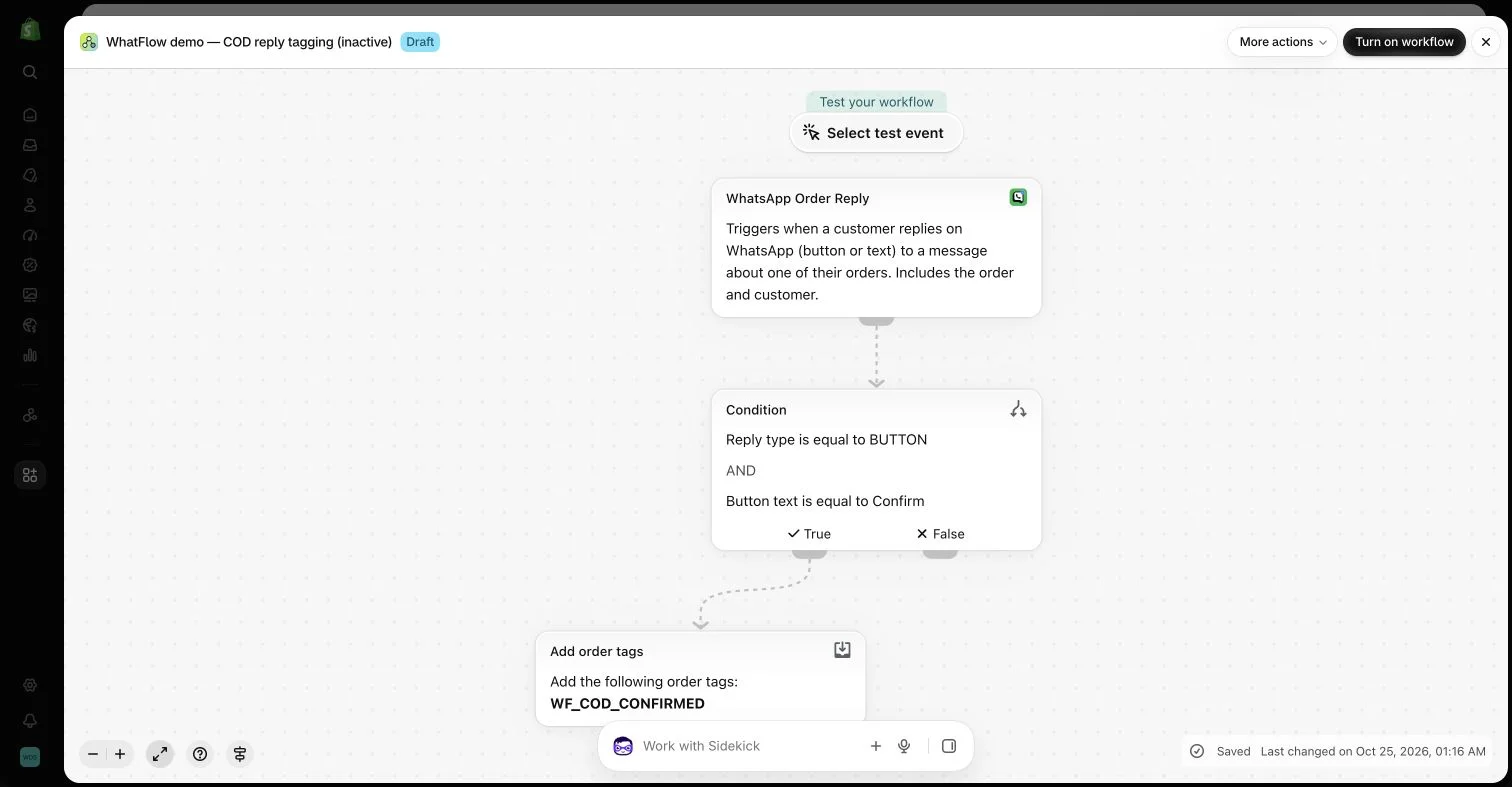
An inactive workflow in the WhatFlow demo store illustrates order-reply configuration. No customer messages or order changes were made.
Define the review provider’s responsibilities
Check collection methods, product and store review support, media handling, moderation and export. Understand how the provider establishes source and verification. A large list of visual widgets does not answer whether the store can maintain an honest, portable feedback history.
Test the buyer-facing form and the public display on a phone. Confirm what is included in the plan you intend to use rather than assuming the most prominent demo represents every tier. Keep the current documentation available for settings that affect publication or source labels.
Choose how the invitation reaches an eligible customer and what happens when they reply. The message tool needs the right recipient data, an appropriate format and a monitored path for support. A sending dashboard alone does not establish that the customer can complete the intended task.
WhatFlow Business API focuses on WhatsApp messaging, Shopify integration and the shared team inbox. It should not be described as replacing every review provider’s storage, moderation or verification system. The two tools can complement each other when their supported workflows fit.
Check the connection before buying the promise
A listed integration may expose only particular triggers or actions. Verify the exact event, required identifiers and destination fields. If Shopify Flow is part of the plan, the installed apps must provide compatible tasks and the data needed by each step.
Use a controlled example to follow the entire route. A diagram showing two app names does not prove that the customer’s review link or order association is correct. Inspect the actual configuration and result rather than relying on a broad “works with” label.
List the required features, usage allowances and team access across both tools. A low entry price may not include a needed collection method or integration. A separate message allowance may not cover every reminder in the planned journey.
WhatFlow Business API includes features across plans, including Free, with no inbox seat fees. Plans differ by message allowances and rates. The review provider, Shopify and applicable WhatsApp charges retain their own terms, so compare the complete workflow cost rather than one subscription headline.
Consider the operating process
Decide who changes templates, who checks public reviews and who handles support exceptions. A founder may own the initial setup, but another colleague should be able to maintain the ordinary process. Keep the responsibilities visible instead of relying on knowledge spread across several private chats.
Ask how the store would change tools later. Supported exports, stable destinations and clear product matching matter when the business grows. A cheap setup that obscures data ownership can become difficult to replace even if the original workflow was simple.
You do not need every available widget and campaign at launch. Start with honest collection, useful display and a dependable conversation route. Add another capability when it resolves a defined need and the team can maintain it.
The best choice is not a universal winner for every merchant. It is a set of tools that completes your actual customer journey with accurate data, clear responsibilities and understandable costs. A strong comparison makes those tradeoffs explicit rather than treating app categories as interchangeable.
Map the handoff from invitation to published review
Hypothetical example: an accessories store wants an eligible buyer to receive a WhatsApp invitation after delivery, leave feedback on the purchased item and ask a question if needed. Draw five boxes: qualifying event, invitation, form, publication and support reply. Name the system responsible for each box and the identifier or link passed into the next one.
Open the form from a controlled invitation and check the product association on the resulting review. Then reply to the invitation and confirm that a colleague can find the conversation. WhatFlow Business API can supply the WhatsApp and inbox stages; the review provider controls its collection and verification rules. If either route breaks, fix the specific handoff before comparing optional widgets or planning more reminders.
Before you put this into practice
Name one owner for each stage of the review journey.
Test product association from invitation to storefront.
Compare allowances, required tiers and inbox access together.
Explore WhatFlow Business API for WhatsApp messaging and a team inbox with no seat fees. Features are included across plans, including Free; message allowances and rates differ.
Safwan Adnan is co-founder and CEO of WhatFlow. This guide is published by WhatFlow and includes its product where relevant. Worked examples are illustrative unless a caption identifies an actual demo-store configuration; they are not merchant performance results.